Field Service Scheduling Software
Plan a perfectly organized week in minutes. JobTrail gives you a team calendar with five views, conflict warnings before you save, and instant crew updates — so nothing falls through the cracks.
14-day free trial · No credit card required





Join 14,000+ pros

Built In AI Assistant
Powered by Google Gemini

Confirmed
HVAC Repair · 11:00 AM
📍 142 Oak Street
15+ hrs
Saved Per Week
Zero
Double Bookings
98%
On-Time Dispatch
Real-time
Crew Updates
Schedule smarter, eliminate conflicts, and keep every crew on track — all from one platform.
How scheduling works in JobTrail
Schedule
Click a time slot, pick the job type, and fill in the details. Jobs land on your team calendar in seconds.
Dispatch
Assign the right crew with color-coded teams and availability at a glance. Everyone sees their schedule instantly.
Track
Follow job progress in real time as crews tick off their scope — and see who is running behind before it hurts.
Everything you need to schedule smarter
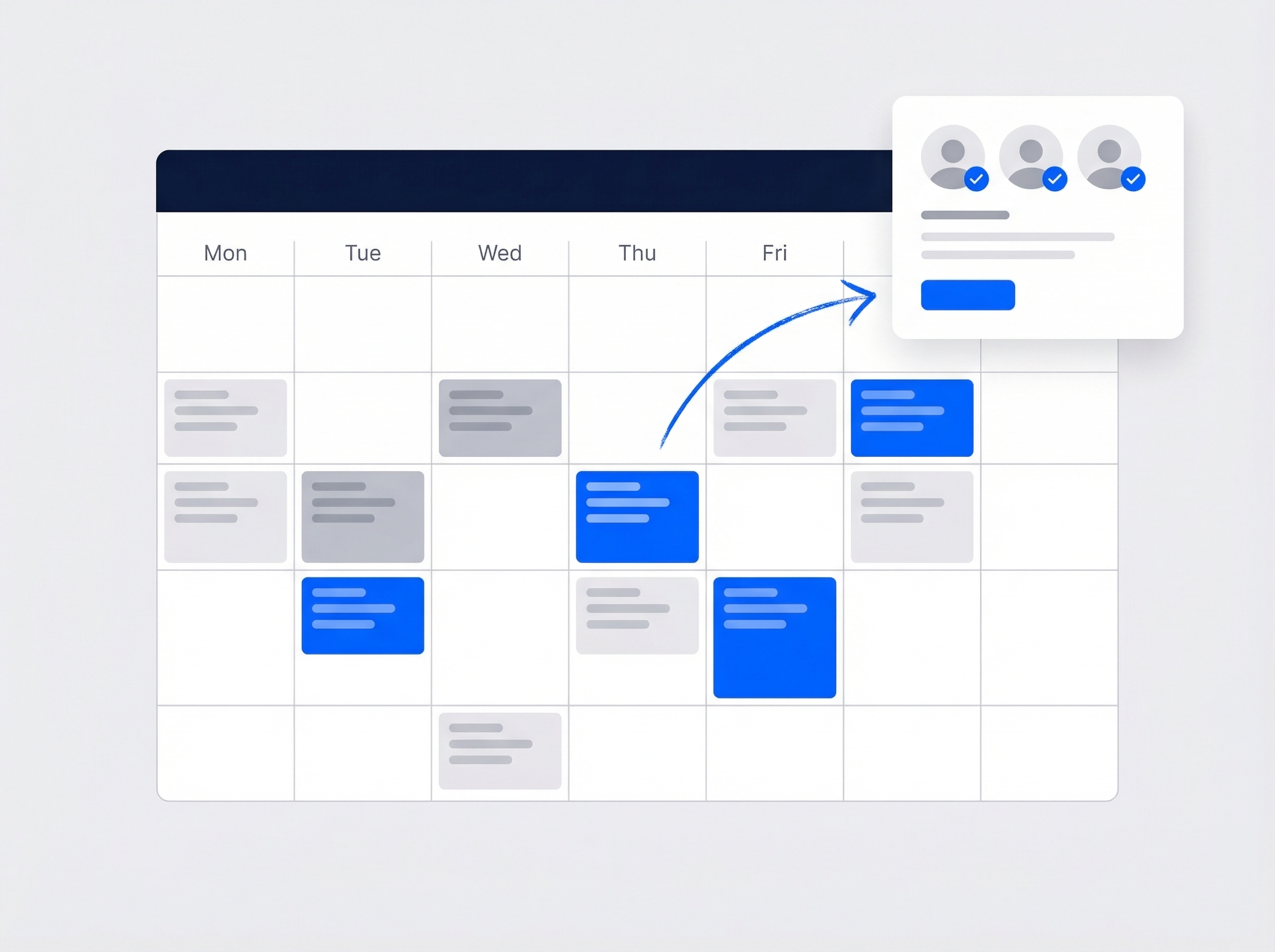
See your whole team on one calendar
Day, 3-day, week, month, or team view — pick the perspective that matches how you work. Color-code by team, keep crew badges on every block, and give each field tech a My Schedule view of their own day.
- Day, 3-day, week, month, and team calendar views
- My Schedule view for every field tech
- Color-coded events by team, status, or job type
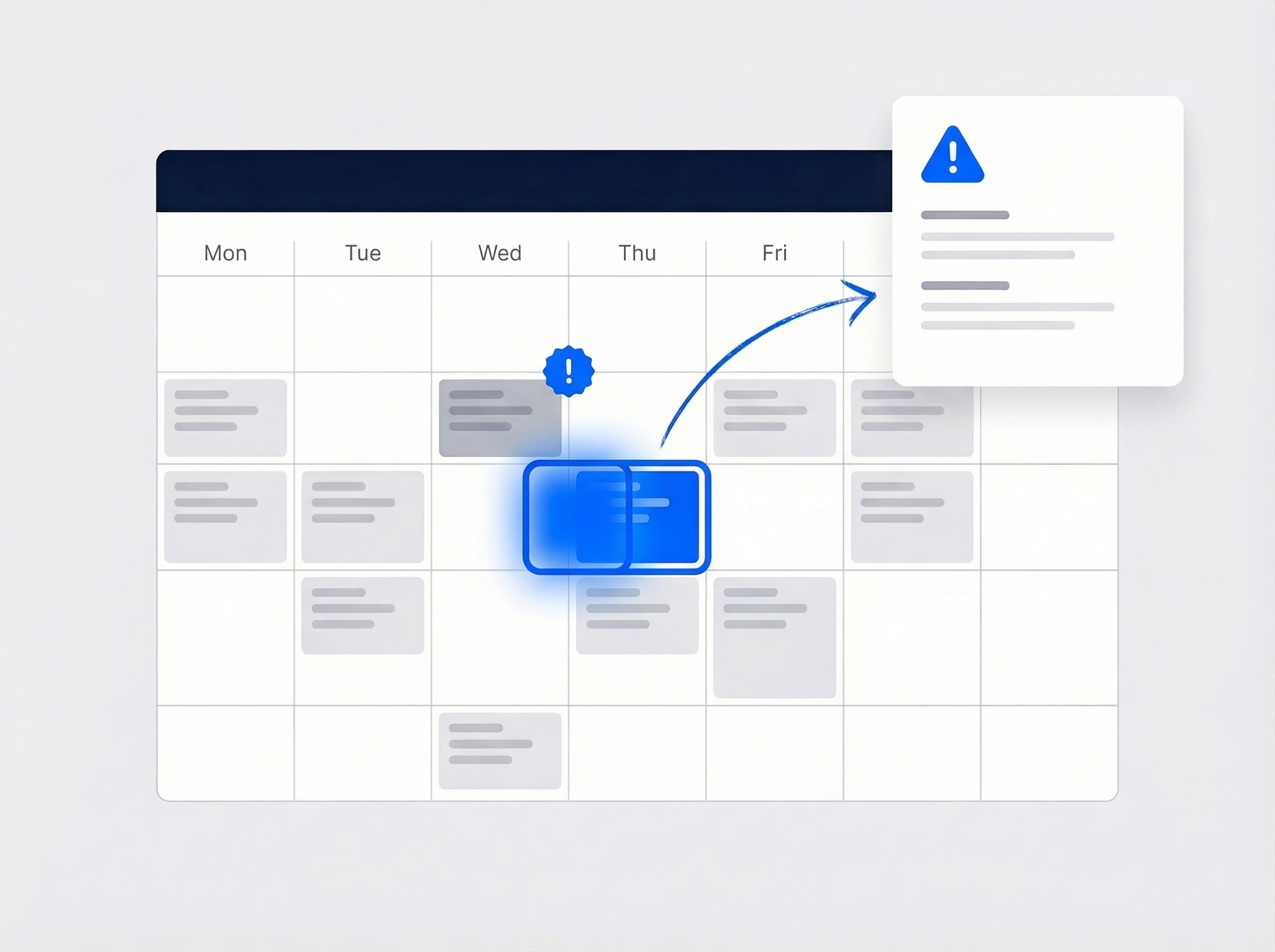
Never double-book a team again
JobTrail automatically detects scheduling conflicts before they happen, so you never send two crews to the same job or overbook a technician. Overlaps are flagged the moment you place a job on the calendar.
- Automatic conflict detection catches overlaps instantly
- Warnings before you save — not after the crew leaves
- Works across teams and solo field staff
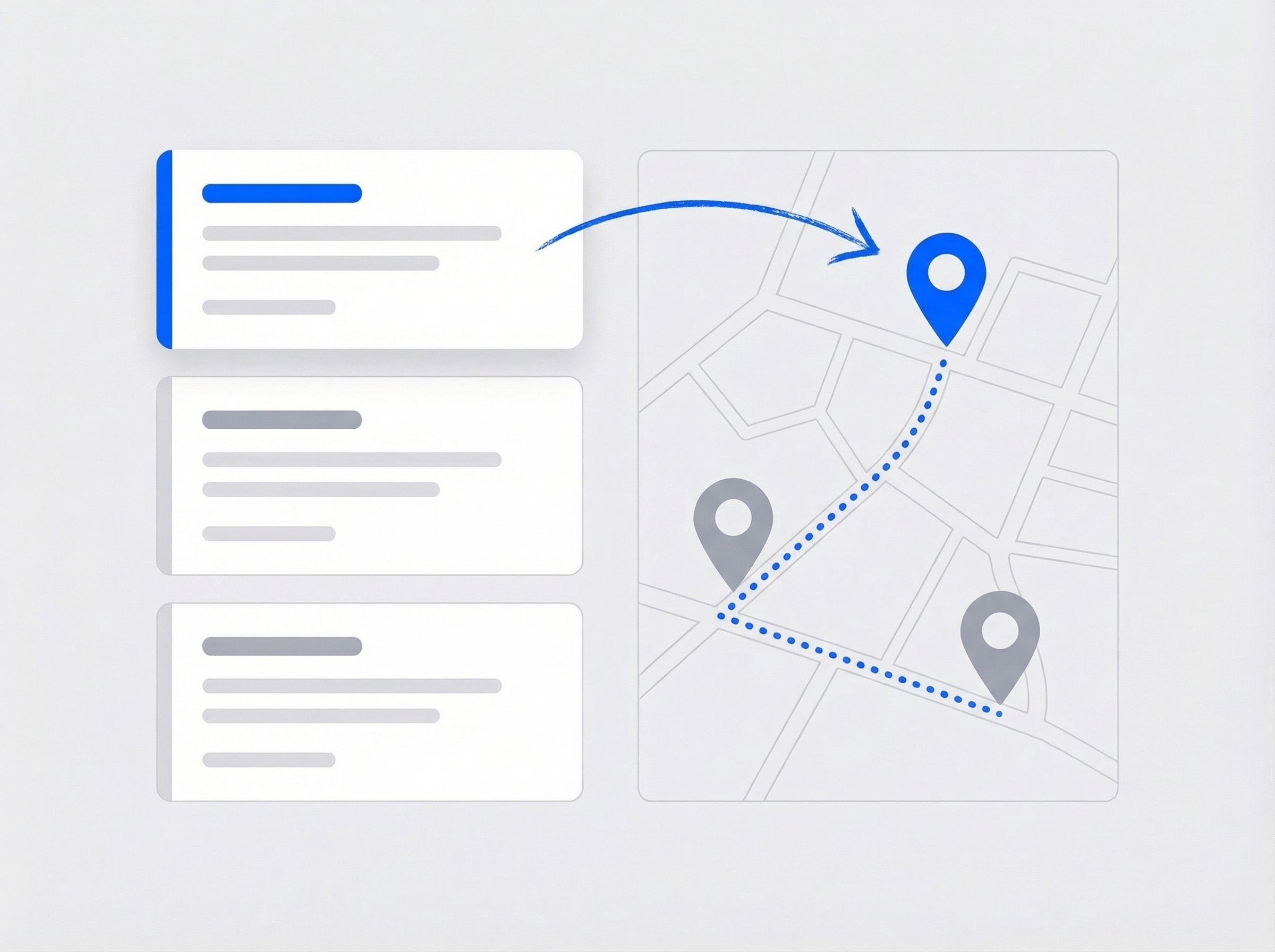
Dispatch the right crew to every job
Pick the right crew for every job with color-coded teams and availability at a glance. Assign the whole crew in one step and push updates to your team — all from the same screen.
- Crew assignment with team colors and badges
- Availability tracked automatically from your rosters
- One-click reassignment when plans change

Real-time updates for your entire team
Schedule changes reach every crew member the moment they happen. No more checking in by phone or waiting for the next morning briefing.
- Instant push notifications for schedule changes
- Crew members see their updated schedule in real time
- Job notes, attachments, and customer details travel with the schedule
“We replaced a whiteboard and three spreadsheets with JobTrail. Now our teams know exactly where to be — and we actually finish our days on time.”

Marcus Reed
Owner, Reed HVAC Services
Ready to simplify your schedule?
Start your free trial and see how easy scheduling gets when everything is in one place. No credit card, no feature limits.
14-day free trial · No credit card required
Beyond scheduling — everything built in
AI Assistant
Powered by Google Gemini. Look up a job, create or update a customer, and ask about a photo — in plain English.
HR & Payroll
Track hours, run payroll, and manage leave — without a separate HR tool.
Fleet Management
Assign vehicles to crews, log maintenance, and set service reminders.
Work Permits
Match permit requirements to the job address. Track the documents each issuer wants, through to approved.
Frequently asked questions
Field service scheduling software is a digital tool that helps businesses plan, assign, and track jobs for mobile workers. Instead of whiteboards or spreadsheets, you organize your entire workforce from one central platform — with conflict detection, color-coded teams, and real-time updates for every team member.
JobTrail checks for scheduling conflicts the moment you place a job on the calendar. If a crew is already booked, you get a clear warning before you save — so overlaps are caught before your team ever leaves the office.
Yes. Every schedule change syncs in real time across desktop, tablet, and mobile. Crews see their updated jobs the moment you make a change — along with job notes, attachments, and customer details — so there are no more morning check-in calls.
Yes. The Schedule Builder has three modes — Single, Range for multi-day work, and Weekly for anything recurring. Weekly gives you a Repeat On weekday picker and generates every matching date between your start and end date, so a whole season of maintenance visits goes on the calendar in one pass. What it does not have is a saved, reusable recurrence template, so you set the pattern each time you build one.
Absolutely. JobTrail offers a 14-day free trial with full access to every feature — no credit card required. Start your trial today and see how much easier scheduling gets when everything is in one place.