Cleaning Business Software
JobTrail keeps every clean on the calendar — the Tuesday and Friday office contract, the one-time move-out, the crew that covers when someone is out. Checklists, photos, invoices, and payroll live in the same place.
14-day free trial · No credit card required





Join 14,000+ pros

Built In AI Assistant
Powered by Google Gemini

Ongoing
Office clean · 6:40 PM
Restrooms ticked · 4 photos
15+ hrs
Saved Per Week
2X
Faster Invoicing
47%
Revenue Growth
14,000+
Pros On JobTrail
Built for the way cleaning companies run — from the first walkthrough to the last room ticked and the account invoiced.
Based on JobTrail customer data, 2026.
Everything a cleaning business needs
Cleaning companies usually stitch together a booking calendar, a spreadsheet for the roster, and a group text for the crew. JobTrail replaces all three, and every plan comes with every feature switched on.
Scheduling
Weekly repeat cleans on chosen weekdays, team-row views, and a warning before you double-book a crew.
Customers
Homes and commercial accounts with every address, contact, access note, and open balance in one record.
Estimates
Price a deep clean or a monthly office contract by line item, set an expiry, convert to an invoice.
Invoicing
Invoice each clean or each account, record partial payments, and pull a statement with a running balance.
Job reports
Turn move-out or post-construction photos into a branded PDF the landlord or property manager can keep.
Crews & teams
Color-coded crews, a dated roster change when someone is out, and a leave flag before you assign.
Time off
Cleaners request time off, balances accrue on their own, and approved leave shows in the crew builder.
Job conversations
A thread on every clean and every account, with mentions and an inbox — no more group text.
Assessments
Score a walkthrough against your own template — kitchen, restrooms, floors — with a total per visit.
How a cleaning job runs in JobTrail
Book the clean
Pick the customer and address, set the crew, and choose Single, Range, or Weekly. A weekly office contract lands on the calendar in one pass.
Work the checklist
Cleaners open Field Mode, read the access details, and tick each room off the scope. Before and after photos upload against the right stage.
Invoice the account
Convert the estimate to an invoice, record what was paid, and pull a statement for the commercial account that pays every thirty days.
The parts of a cleaning week that eat your evenings
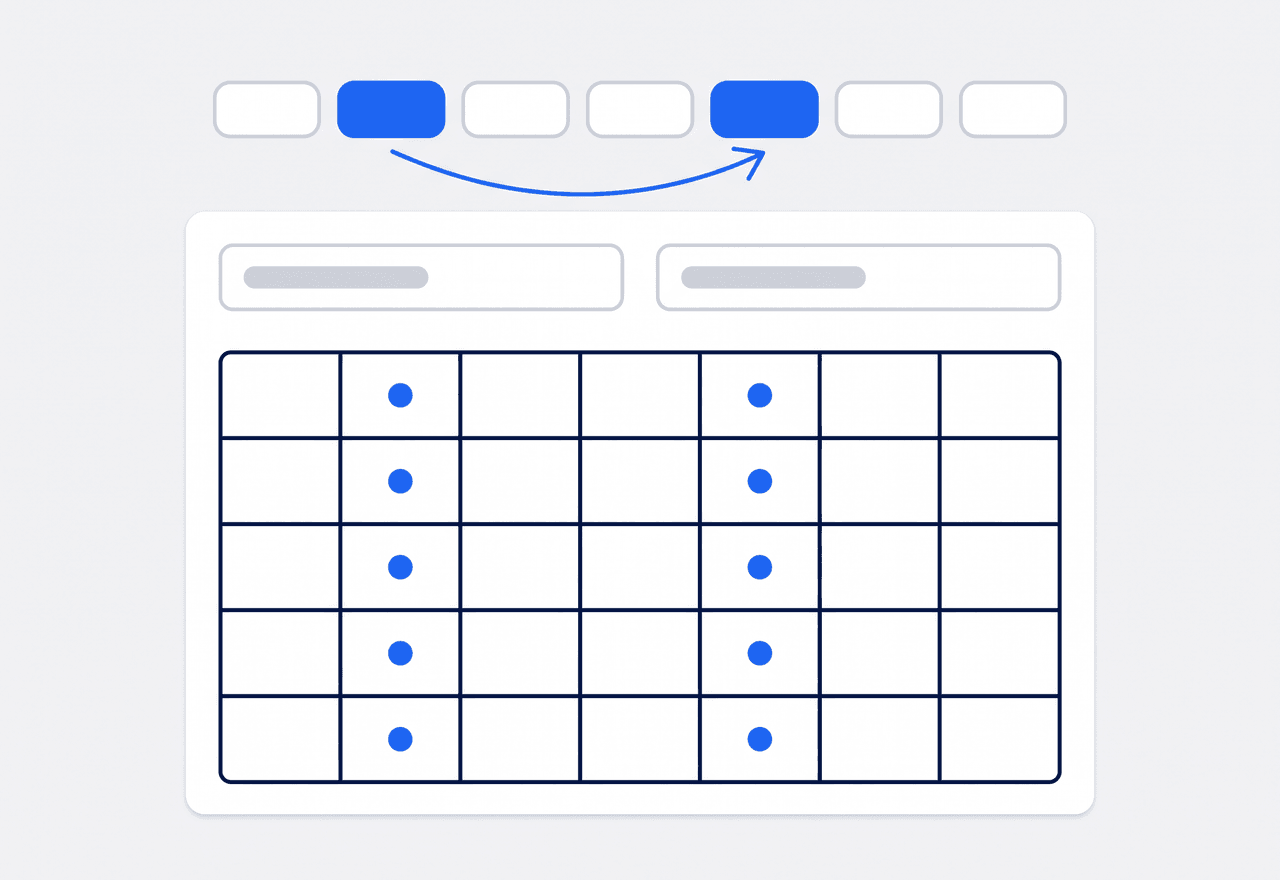
Book the whole contract in one pass
Set the job schedule to Weekly, tap the weekdays that office gets cleaned, and set the contract start and end date. Every visit lands on the calendar, and you preview the full list before you save it.
- Repeat On weekday picker — Tuesday and Friday, or every weekday
- Date range that matches the contract term, previewed before saving
- Single, Range, and Weekly modes on the same job form
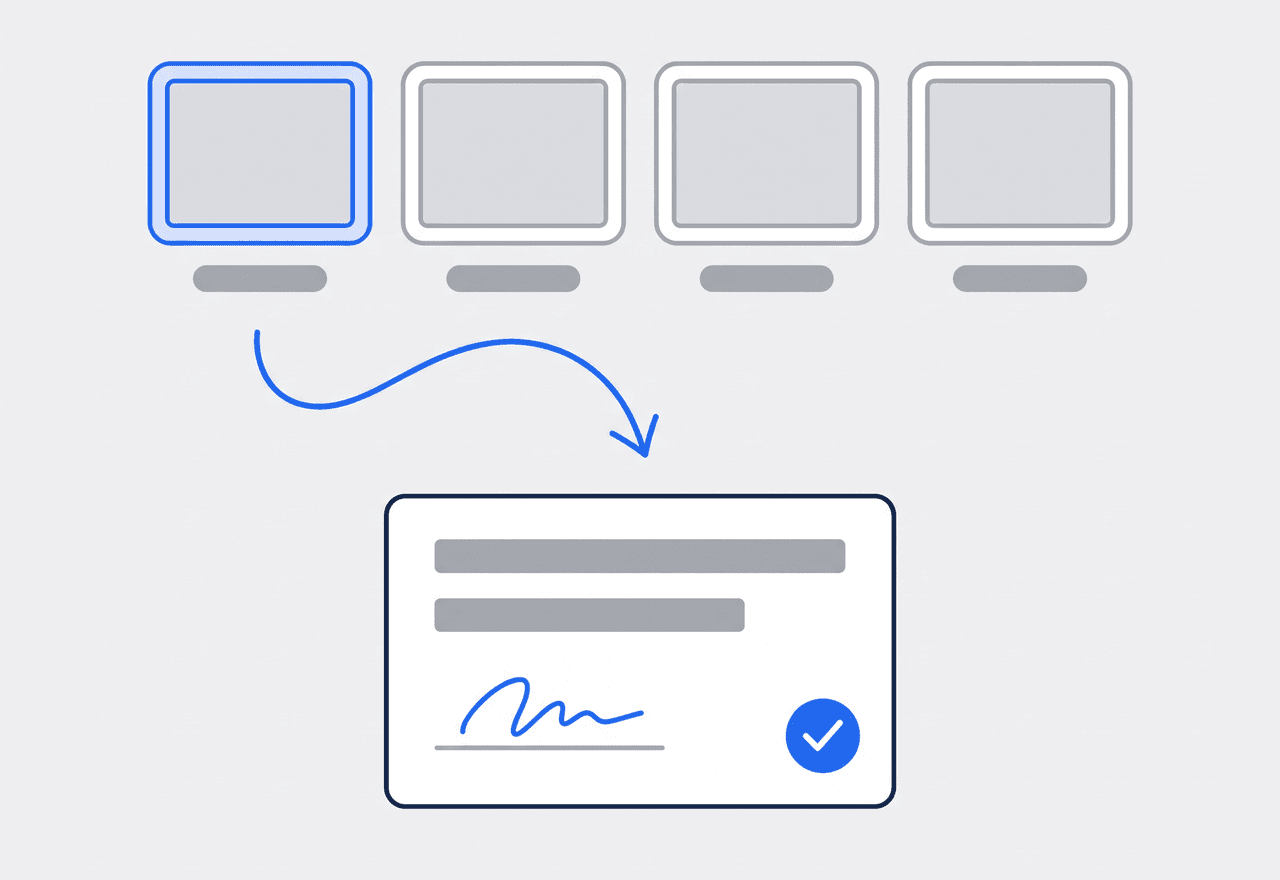
Tick every room from the phone
The scope on the job is the cleaning checklist — one line per room or task. Cleaners tick lines off in Field Mode as they go, and the job moves from Scheduled to Ongoing to Completed on its own. Photos and the signature finish it.
- Scope lines ticked one by one, status advances itself
- Before and After photos tagged as they upload
- Completion certificate signed on the phone, drawn or typed
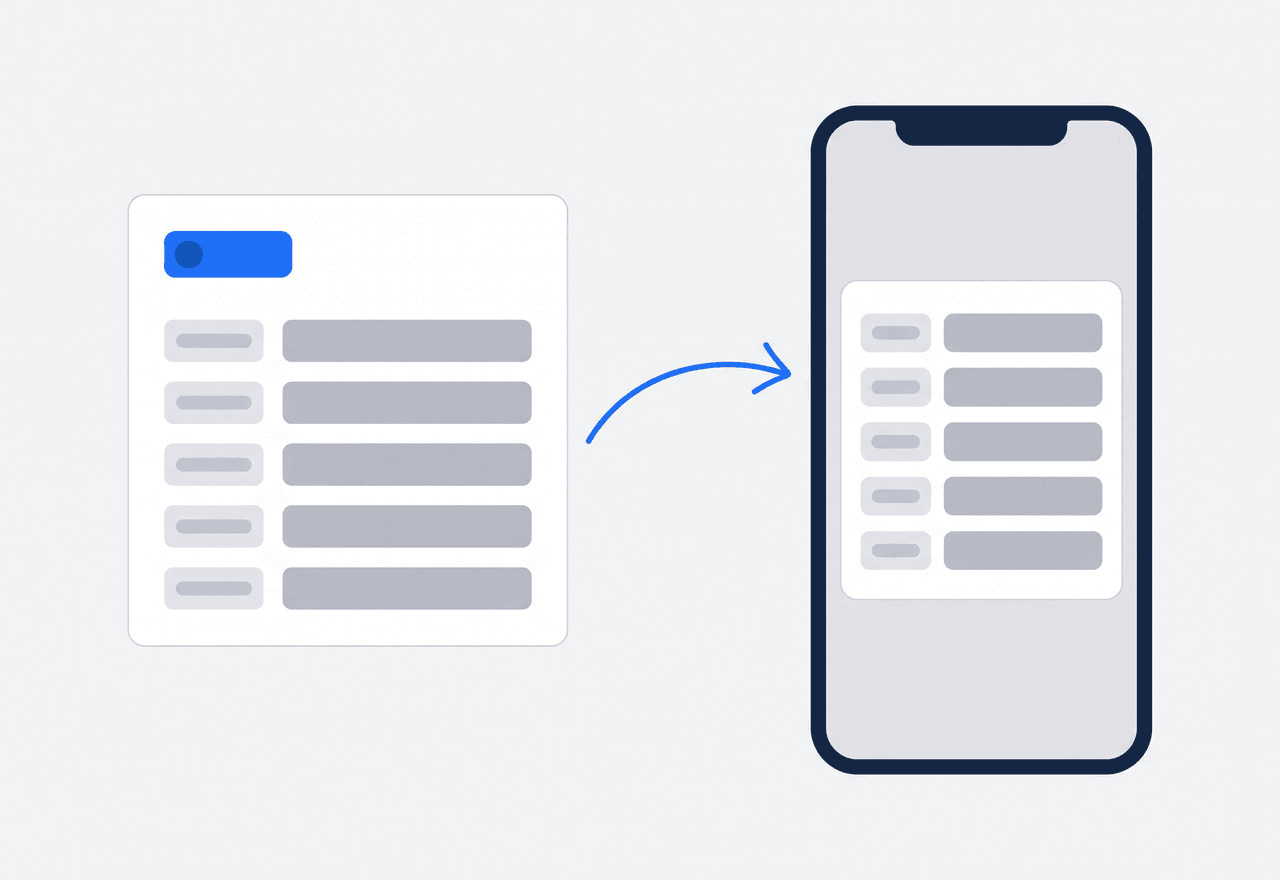
Alarm code and key spot on the address
Add Property Details to any address — alarm code, where the key is, parking, the dog that stays in the laundry room, products the customer wants avoided. Set the fields up once in Settings and every address carries them.
- Custom fields as text, number, or dropdown, per address
- Cleaners read them in Field Mode before they ring the bell
- Hide sensitive fields from a role with field visibility
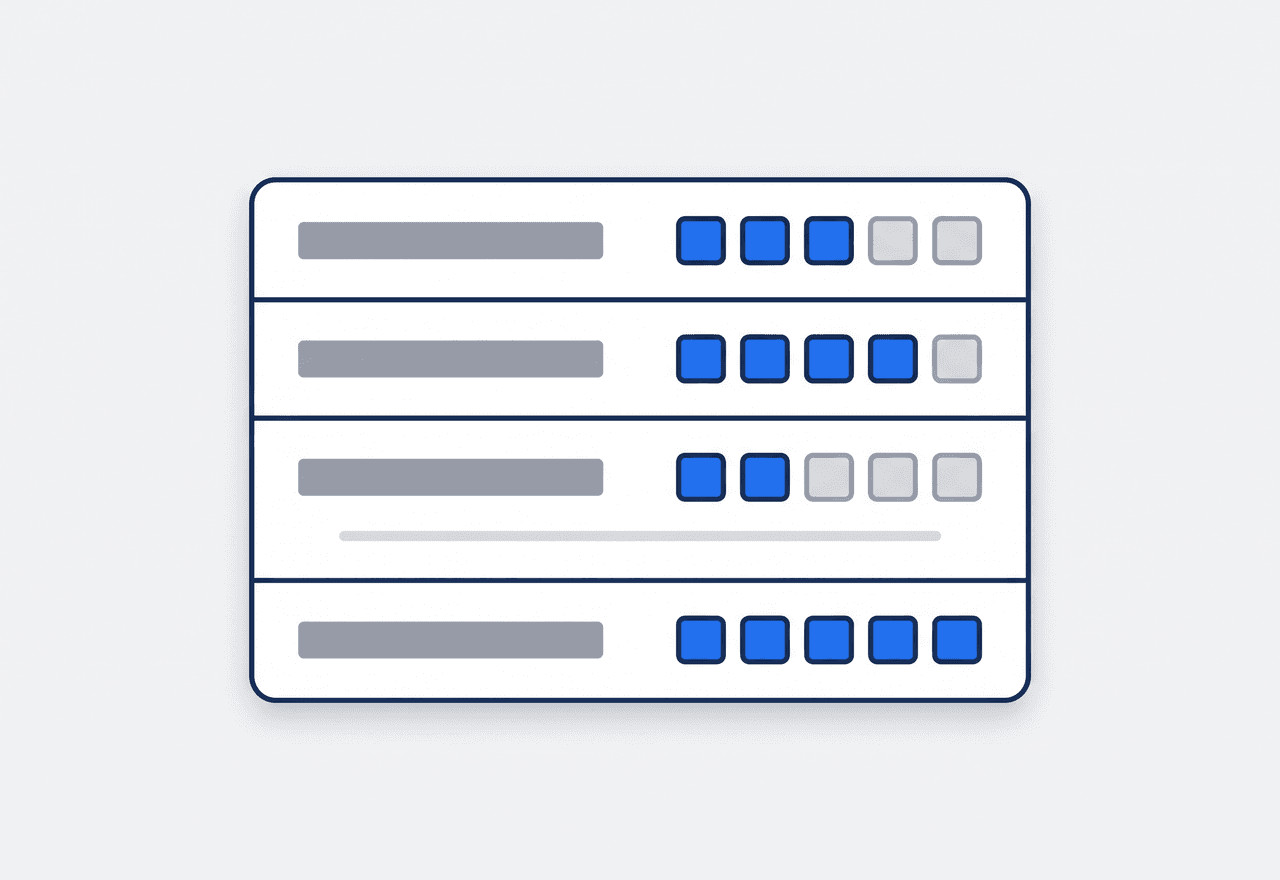
Score every clean against your standard
Build an assessment template once — kitchen, restrooms, floors, trash, touchpoints — each with a max score. Walk the site, score each item, add a note, and JobTrail totals it into a percentage you can compare visit to visit.
- Reusable scored templates for homes and commercial sites
- Score and note per item, total and percentage per visit
- Team and cleaners present recorded on each assessment

The schedule holds when a cleaner calls out
Most of a cleaning company’s week repeats. Set the weekly cleans once with the weekdays and the contract dates, and the calendar fills for the whole term. When someone calls out on Wednesday, create a dated roster change for that crew and pick who covers, for one day or a range. The default roster stays untouched for next week. Approved time off is flagged in the crew builder before you assign, so you do not book a cleaner who is already off. Team rows in the Schedule view show every crew’s day side by side.
- Weekly cleans booked once for the whole contract
- Dated roster changes that leave the default crew alone
- Leave conflicts flagged while you build the crew

Every room ticked, every clean on the record
Field Mode hands each cleaner just their own cleans for the day. They open one, read the access details for that address, and work down the scope line by line — kitchen, bathrooms, floors, trash out. Each tick moves the job along, so the office sees Ongoing turn to Completed without a text. Before and After photos upload under their stage tag. If a cleaner finds a broken blind or a stain that was there before they arrived, they raise a flag with a photo. The office can comment on it. The customer signs the completion certificate on the phone.
- Assigned cleans only — checklist and photos on one screen
- Flags with photos for pre-existing damage or a complaint
- Customer signs the completion certificate before the crew leaves

Inspect the clean, log the complaint, close it
Quality is what a cleaning company sells, and it is hard to prove without a record. Assessments give you a scored walkthrough from a reusable template — kitchen 8 of 10, restrooms 10 of 10 — with a total and a percentage per visit. The crew that did the work is on the record too. When something goes wrong, log an incident: a customer complaint, damage to a customer’s property, or a work issue. Set the severity, note witnesses and immediate actions, and add follow-up notes until it is closed. The job’s conversation thread keeps the back-and-forth attached to the clean itself.
- Scored inspections from templates you define once
- Incidents for damage or complaints, tracked to Closed
- A thread on the job instead of a text chain
“We run about forty recurring cleans a week, and a call-out used to cost me an hour of texting. Now I set a roster change for those two days — the schedule updates itself, and the regular crew is back on it next week.”

Sarah Mitchell
Owner, Bright Spark Cleaning
Ready to run your cleaning business from one place?
Start your free trial and load a real week of cleans onto the calendar. No credit card, every feature switched on, and nothing saved for a bigger plan.
14-day free trial · No credit card required
Beyond cleaning schedules — everything built in
AI Assistant
Powered by Google Gemini. Look up a job, create or update a customer, and ask about a photo — in plain English.
HR & Payroll
Employee records, leave that accrues itself, and a pay run in one grid.
Fleet Management
Assign vans to crews, log every service, and set service reminders.
Work Permits
Match permit requirements to the job address. Track the documents each issuer wants, through to approved.
What is cleaning business software?
The system a cleaning company uses to book its recurring cleans, staff its crews, and bill its accounts. The real difference between tools is how much of that week stays on paper.
| What a cleaning company runs on | SheetsCalendar + spreadsheets | Sched. onlyScheduling-only tools | JobTrailJobTrail |
|---|---|---|---|
| Weekly recurring cleansSame weekdays, whole contract range, booked once | No | Yes | Yes |
| Dated roster changesCover a call-out without touching the default crew | No | Partly | Yes |
| Access details on the addressAlarm code, key spot, pets — read from the phone | No | Partly | Yes |
| Scored quality inspectionsTemplate checklist, score per area, percentage per visit | No | Partly | Yes |
| Payroll, leave and attendancePeople on leave flagged as you build a crew | No | No | Yes |
| Vehicle maintenance and work permitsService reminders, permit paperwork by address | No | No | Yes |
Yes CoveredPartly Varies by productNo Not covered
Why the whole stack, not the calendar, sets the price
A cleaning company can find a booking calendar anywhere. What it usually cannot find in the same tool is a pay run for twelve cleaners, leave that accrues on its own, and a maintenance log for the vans. Or a permit checklist for the office tower that wants worker IDs at the security desk. Each one means another subscription and another password. Add them up and that is the real monthly price. JobTrail includes all of them in every plan, so the comparison is one number against one number.
Cleaning is also two businesses in one. Recurring residential and commercial cleans fill the calendar for months at a time. One-off deep cleans, move-outs, and post-construction jobs land on top of them, often the same week. Software that only handles the one-off half leaves the recurring half in a spreadsheet, and the spreadsheet is what breaks when a cleaner calls out.
The clean nobody can prove is the one that gets disputed
A customer says the baseboards were skipped, and there is no ticked checklist to check. A landlord claims a scratch on the floor came from your crew, and nobody took a Before photo. A cleaner is let go and takes the alarm codes with them, because the codes only ever lived in her phone. None of those is a cleaning problem. Every one is a record-keeping problem, and every one costs an account.
The record also has to survive the roster. Cleaning crews change more than most trades — a cover on Tuesday, a new hire on Thursday, a supervisor stepping in for a walkthrough. When the checklist, the access details, and the photos live on the job and the address instead of with a person, whoever shows up has what they need. The scored assessment from last month is there too, so the next walkthrough starts from a number, not a memory.
Cleaning business software questions, answered
The one that covers the recurring half of your week as well as the one-off half, without charging per module. A three-person operation still needs weekly cleans on a calendar, a checklist the crew ticks on a phone, and invoices for its accounts. Bigger crews add a changing roster and a pay run. Compare the shortlist on what a full month costs with every piece turned on, and on what each tool leaves out — JobTrail, for one, has no online booking page. Your office logs requests and converts them to jobs.
Yes. Switch the job to Weekly, choose the weekdays under Repeat On, and give it the contract’s start and end date. JobTrail generates every visit in that range and lists them before you save. Every-other-week and monthly cleans are not a separate repeat mode. Book those as one job with several time slots — one job, several visits, one history. Scheduling the visits does not bill them — each invoice is still yours to raise.
You create a dated roster change for that crew. Pick a single day or a start and end date, then choose who covers for that window. The default roster is not touched, so the regular cleaners are back on it when the window ends. Approved and pending leave is flagged in the crew builder, with conflicted people sorted to the top, so you see the problem before you assign. You can also disable a whole team from a date if a crew is off for a week.
On the address, as Property Details. Create the fields once in Settings as text, number, or dropdown — alarm code, key location, parking, pets, products to avoid, trash day — and every address gets them. Cleaners see them in Field Mode on their phone before they walk up. Because they live on the address and not in someone’s contacts, they stay with the account when the crew changes. Custom roles can hide specific fields, so a code is visible only to the people who need it.
Yes. Field Mode is the crew’s own mobile screen, stripped down to the day’s work. Open it and the day is there: assigned cleans, the checklist for each, the access details for that address, and photo upload. Cleaners tick off scope lines as they finish each room and the status walks itself from Scheduled to Ongoing to Completed. Photos are tagged Before, During, After, or Final, and the customer can sign the completion certificate on the phone.
Yes. Assessments are scored site-visit checklists built from a template you define — numbered items such as kitchen, restrooms, floors, and touchpoints, each with a max score. Record the visit date, the team, and the cleaners present, then score each item and add a note. JobTrail totals it and shows a percentage, so you can compare a site month over month. Assessments do not carry photos; put photos on the job itself under a stage tag.
Invoice from the accepted estimate or clone last month’s invoice, set payment terms so the due date calculates itself, and record payments as they arrive — including partial ones. A customer statement pulls every invoice and payment for a date range with a running balance, and net receivables show what is current, 30, 60, or 90+ days out. JobTrail does not generate invoices automatically on a schedule and does not process card payments online.
Yes. Employee records hold each cleaner’s pay profile. A pay run is one editable grid — base pay and allowances pre-filled, unpaid leave already deducted, with columns you add for overtime or a bonus. Leave policies accrue balances on their own and feed the crew builder. There is no clock-in or timer in JobTrail; hours and variable amounts are entered by you, not tracked from the field.
Plans start at $39 a month for a solo operator and scale with your team. Every plan includes every feature — scheduling, jobs, estimates, invoicing, HR and payroll, fleet, permits, and the AI assistant. There are no add-on modules and nothing is locked behind a higher tier, so the price you see is for the whole platform. The tiers run Solo at $39 a month for one user, Team at $139 for up to five, Growth at $199 for up to ten, and Scale at $299 for up to fifteen, each with a 14-day free trial.
Yes. JobTrail offers a 14-day free trial with full access to every feature and no credit card required. Set up your customers, put a week of real jobs on the calendar, and send a live invoice before you decide.
Put your next clean in JobTrail
Nothing held back, on any plan. Book a weekly office contract, tick a checklist in Field Mode, and score a walkthrough — all inside the trial.
14-day free trial · No credit card required