Landscaping Business Software
JobTrail carries the whole season — the weekly mow rounds, the paver patio, the photos the homeowner asks for, and the invoice. Payroll for a seasonal crew and the trucks they drive come with it.
14-day free trial · No credit card required





Join 14,000+ pros

Built In AI Assistant
Powered by Google Gemini
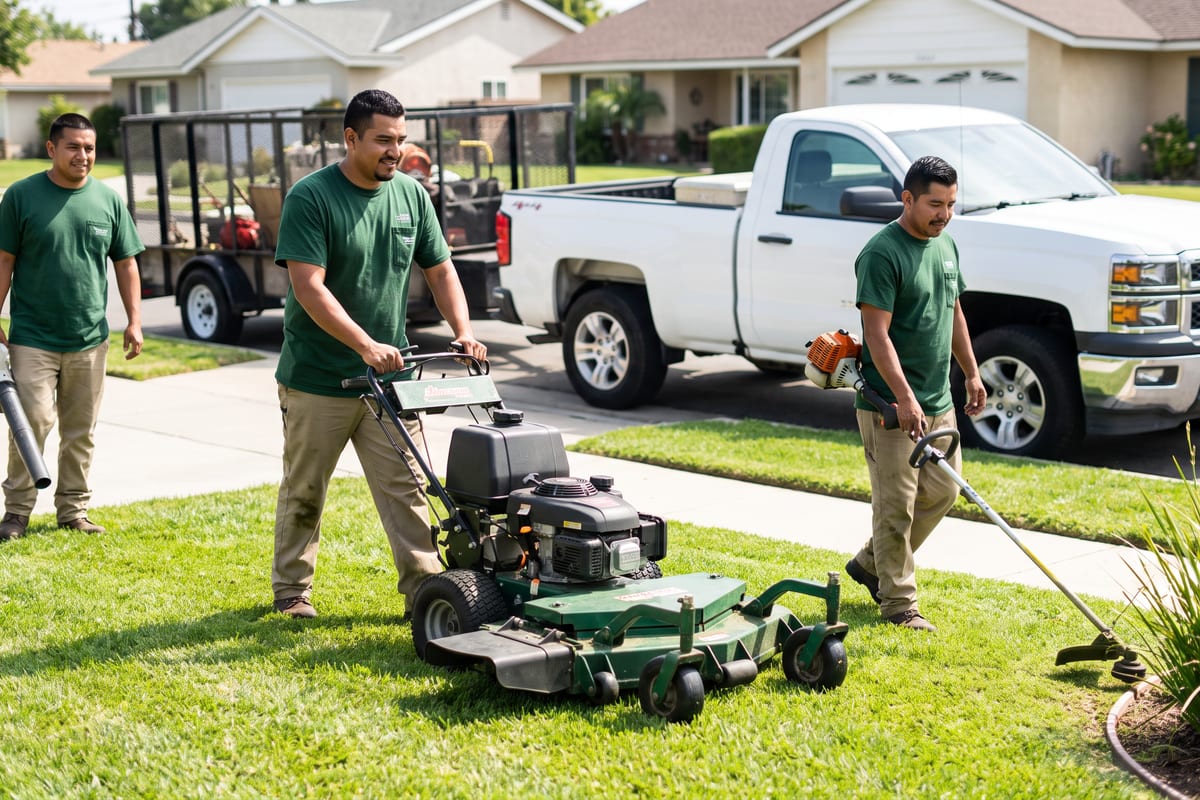
Ongoing
Paver patio install · Day 2
Crew Blue · 9 photos tagged During
15+ hrs
Saved Per Week
2X
Faster Invoicing
47%
Revenue Growth
14,000+
Pros On JobTrail
Built for the way landscaping runs — from the first spring cleanup to the last leaf pickup of the year.
Based on JobTrail customer data, 2026.
Everything a landscaping company needs
Plenty of tools will schedule a mow and print an invoice. Then the crew roster, the pay run, and the truck maintenance end up somewhere else. JobTrail keeps all of it behind one login, on every plan.
Scheduling
Day, week, month, or a row per crew — with a warning before you double-book a crew.
Customers
Every property, gate code, and contact on one record — plus what each customer still owes.
Estimates
Price a patio or a planting plan by line item, clone it for the revision, convert when they say yes.
Invoicing
Invoice the install, record partial payments, and see which customers are 60 days out.
Job reports
Turn the crew’s before-and-after photos into a PDF the homeowner can open from a share link.
Crews & teams
One crew per truck, each with a color. Cover a sick week with a dated roster change.
Time off
Requests and balances that accrue on their own, plus a flag if you crew someone who is off.
Job conversations
A thread on every job and customer — the “skip the back this week” note lives where the crew reads it.
Incidents
Log a window cracked by a thrown rock, a mower injury, or a complaint, and track it to closed.
How a landscaping job runs in JobTrail
Book the visit
Pick the customer and address, set the crew, choose the mode. A single visit, a three-day install in Range mode, or a Weekly mow round for the season.
Work the property
The crew opens Field Mode, reads the gate code and sprinkler notes, and ticks off the scope — mow, edge, blow, beds. Photos land under their stage.
Invoice and get paid
Convert the accepted estimate to an invoice, record the check when it arrives, and see who is still open without digging through a folder.
The parts of the season that eat your evenings
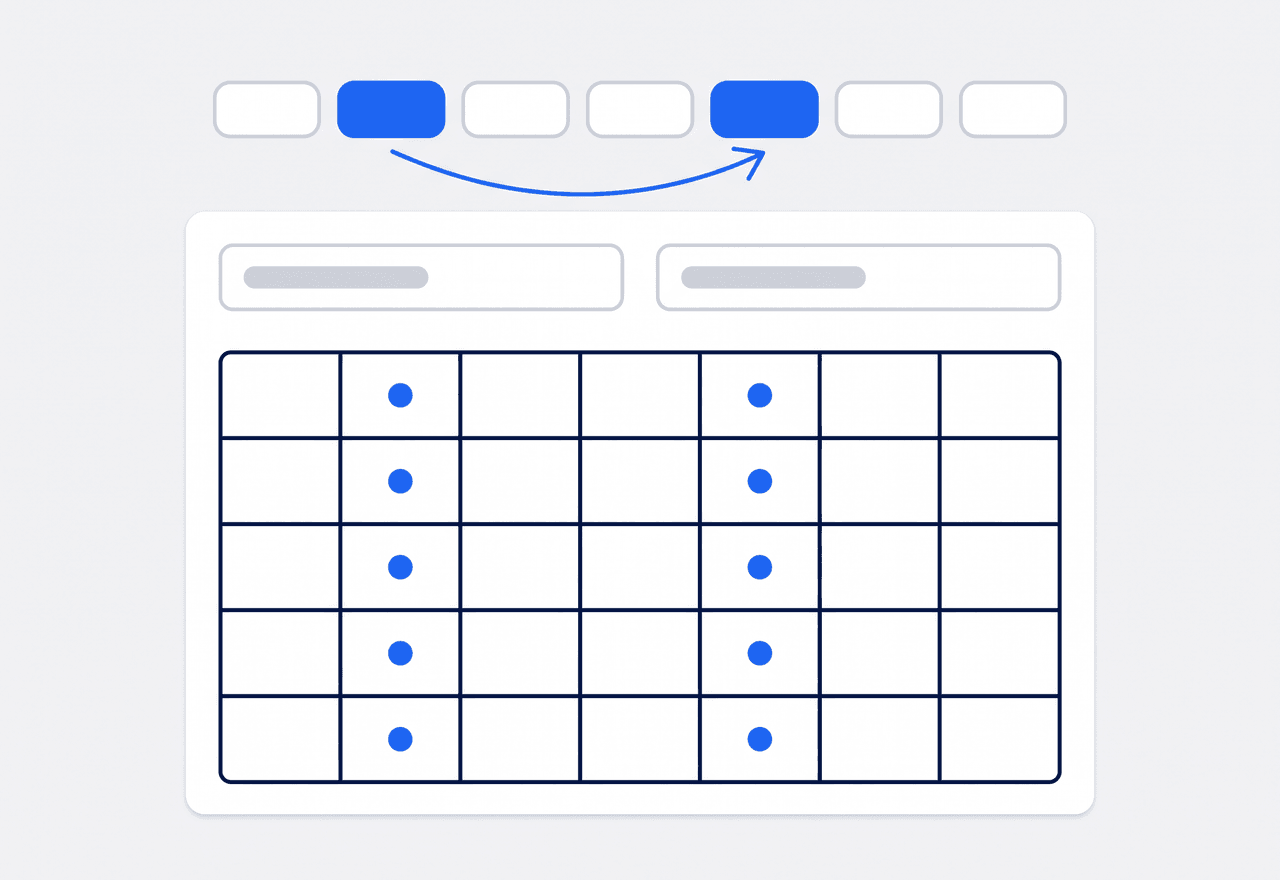
Put the whole season on the calendar once
Set the job schedule to Weekly, tap the weekdays that property gets cut, and set the first and last date of the season. Every visit lands on the calendar in one pass, and you see the full list before you save.
- Repeat On weekday picker — one cut a week or three
- A season-long date range, every visit previewed first
- Same crew and property notes carried onto each visit

One crew per truck, colors and all
Build a crew for each truck and give it a color. The Schedule view lays every crew out as its own row, so you see the day truck by truck. When someone is out, set a dated roster change — the default crew comes back on its own when the range ends.
- A calendar row per crew in the Schedule view
- Dated roster changes for a day, a week, or a month
- Leave conflicts flagged while you build the crew
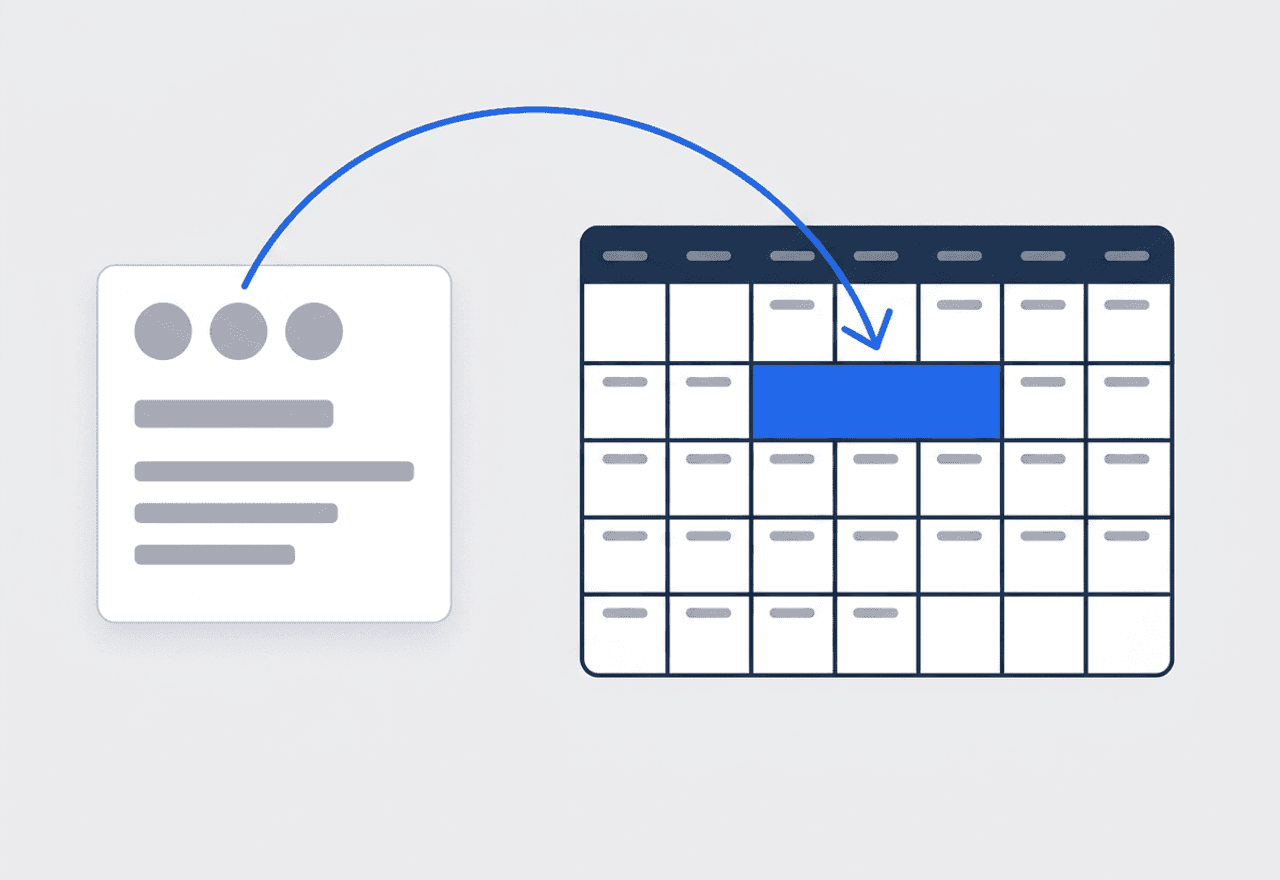
A patio is one job across three days
Switch the schedule to Range mode and the install runs Tuesday through Thursday as one job with one history. Add the estimate to the scope, tick lines as the base goes down and the pavers go in, and every photo stays with the project.
- Range mode for multi-day hardscape and planting work
- A Revisit for the punch list, linked to the original job
- Estimates and invoices sit on the same job record

Show the homeowner what changed
The crew tags photos Before, During, After, and Final as they work. Back at the desk, pick the shots off the job, drop them on a page, and the labels print themselves. Create a share link that expires when you choose and shows how many times it was opened.
- Photos pulled straight from the job, grouped by tag
- Saved templates so the second report takes minutes
- Share links with an expiry date and a view count

The mowing season lives on the calendar, not in your head
Most of a landscaping company’s revenue is the same properties, cut on the same days, from spring to the first frost. That is exactly what Weekly mode is for. Pick the weekdays with Repeat On, set the first cut and the last, and the calendar fills for the season. Each visit carries the same crew and the same Property Details — the gate code, the sprinkler controller in the garage, the dog that stays inside. When the crew opens Field Mode at a stop, the scope is already there: mow, edge, blow, check the beds. The office watches Scheduled turn to Ongoing and then Completed without a single call to the truck.
- Weekly mode with a season-long date range
- Property Details on every address, read from the truck
- Status advances as the crew ticks the scope

Hardscape and planting projects, tracked phase by phase
A paver patio or a retaining wall does not fit in a single time slot. Give the job a Range schedule and it runs across consecutive days as one record. Tag photos with your own labels — Phase: Excavation, Phase: Base, Phase: Pavers — on top of the Before, During, After, and Final stages. If the crew hits a buried drain line or a soft spot in the base, they raise a flag with a photo. The office comments on it from the desk. The estimate you priced the job from sits in the scope. When the last stone is set, it becomes the invoice with one click. A punch-list return is a Revisit, linked to the original job with all of its photos.
- Range mode keeps a multi-day install as one job
- Custom photo tags for each phase of the build
- Flags with photos when the site surprises you

A seasonal crew, managed from the same login
Landscaping crews grow in April and shrink in November, and the paperwork usually lags behind. In JobTrail every crew member is an employee record with a hire date, a payroll profile, and a leave balance. Time-off requests come in, a manager approves them, and the balance updates itself. When you build a crew for next week, anyone on approved leave is flagged at the top of the list before you assign them. At the end of the pay period, one grid holds base pay, allowances, overtime, and the unpaid days already deducted. And when a mower throws a rock through a window, or someone gets hurt on a slope, the incident goes in the log. Photo, severity, and a status that runs to closed.
- Leave that accrues and flags itself in the crew builder
- A pay run in one grid, unpaid leave deducted
- Incident log for damage, injuries, and complaints
“Four crews, four trucks, and every week used to live on a whiteboard in the yard. Now the whole season’s on the calendar by March — and when a customer swears we skipped a cut, the tagged photos settle it.”

Luis Herrera
Owner, Herrera Landscape & Lawn
Ready to run your landscaping company from one place?
Start the free trial and load a real week of properties. No credit card, every feature switched on, nothing held back for a bigger plan.
14-day free trial · No credit card required
Beyond landscaping scheduling — everything built in
AI Assistant
Powered by Google Gemini. Look up a job, create or update a customer, and ask about a photo — in plain English.
HR & Payroll
Employee records, leave that accrues itself, and a pay run in one grid.
Fleet Management
Assign vans to crews, log every service, and set service reminders.
Work Permits
Match permit requirements to the job address. Track the documents each issuer wants, through to approved.
What is landscaping software?
The system a lawn care and landscape company runs its season on. The difference between tools is how much of that season they actually hold.
| What a landscaping company runs on | SheetsCalendar + spreadsheets | Sched. onlyScheduling-only tools | JobTrailJobTrail |
|---|---|---|---|
| Season-long maintenance roundsWeekdays and a date range, set once | No | Partly | Yes |
| Multi-day install projectsA three-day patio stays one job | No | Partly | Yes |
| Access notes on the propertyGate code, sprinkler box, dog — on the phone | No | Partly | Yes |
| Photo proof and homeowner PDFTagged by stage, dropped into a report | No | Partly | Yes |
| Payroll, leave and attendancePeople on leave flagged as you build a crew | No | No | Yes |
| Vehicle maintenance and work permitsService reminders, permit paperwork by address | No | No | Yes |
Yes CoveredPartly Varies by productNo Not covered
Why the last two rows set the real price
A scheduling tool prices out at the calendar and the invoice. Then a seasonal crew of eight needs leave tracking and a pay run. Three trucks need service records. The gated community wants a permit on file before your trailer rolls in. Each of those is usually a separate subscription with its own login. Add them up and that is the number to compare. JobTrail ships all of them in every plan, so the sticker price is the whole price.
A landscaping week is not one kind of work. Monday through Thursday might be mow rounds, three properties an hour, the same stops as last week. Friday is a paver patio that runs into next Tuesday, plus a fall cleanup someone called about yesterday. Software that only handles the round pushes the install onto a text thread and the cleanup onto a sticky note. Covering the whole week is what keeps the office out of the truck.
The visits that cost you are the ones with no record
A customer calls to say the crew skipped the back yard, and there is no photo to say otherwise. The new hire on Crew 2 does not know the side gate sticks and the dog is out on Tuesdays. A retaining wall gets a callback in the fall and nobody remembers how deep the base was poured. None of those is a landscaping problem. Each is a record that was never written down, or was written on a truck dashboard.
The other quiet loss is the round itself. Every spring, the season gets rebuilt from last year’s memory — who is on Monday, who trimmed the scope, who canceled. Then a crew leader quits in July and the plan leaves with him. Put the weekdays and the date range on the job in March and the season exists somewhere other than one person’s head. Covering the leader’s crew becomes one dated roster change.
Landscaping software questions, answered
The one that holds your whole season without charging per module. A two-truck lawn care operation and a fifteen-person design-build company need the same core. A calendar the crews can read, a job record with photos, and invoicing that follows the estimate. The smaller company feels the gaps sooner — a separate leave tracker, a separate pay run, a separate truck log all add up. Compare the shortlist on the full price with every piece turned on. Then ask whether a crew leader can run his day from a phone in the truck.
Yes. Set the job schedule to Weekly, pick the weekdays for that property with Repeat On, and set the start and end dates of the season. JobTrail generates every matching visit across the range and lists them before you save. A customer cut every Tuesday from April to October is one job. Two honest limits. Weekly repeats on the chosen weekdays every week — there is no every-other-week option yet. And the visits are scheduled, not billed automatically. You raise the invoice when the work is done.
Set a dated roster change on the crew. Pick the start and end date, choose who rides on that truck for the window, and save. The default roster is untouched, so when the range ends the regular crew is back without you touching anything. Roster history sits on a timeline, and if the temporary lineup turns out better you can save it as the new default. Approved leave is flagged in the crew builder before you assign anyone, so the swap rarely surprises you.
Yes. A single job can hold as many time slots as the work needs. Use Range mode for consecutive days, or add separate slots when the planting crew returns after the hardscape cures. Either way it stays one job with one history — one scope, one photo set, one estimate, one invoice. Tag photos by phase with your own labels on top of the Before, During, After, and Final stages. If the punch list needs a return trip, raise a Revisit and it links back to the original.
As Property Details on each address. Define the fields once in Settings as text, number, or dropdown — gate code, sprinkler controller location, dog on site, “skip the back on rainy weeks”. They then show on every property you service. The crew sees them in Field Mode on the phone before they reach the gate. Because they belong to the address and not to a job, the notes are still there next season and for the next crew.
Yes. Build a report from the job’s own photos on a page canvas, drop them into a photo grid, and the stage tags print as labels. Save it as a template so the next one takes minutes. Then create a share link with an expiry — 7 to 365 days — and watch how many times it has been viewed. One thing to know: JobTrail does not email the report from inside the app. You send the share link, or download the PDF and attach it yourself.
Yes, and few landscaping tools go this far. Each crew member is an employee record with a hire date and a payroll profile. Leave policies accrue on their own, crew members request days off, and a manager approves them. At the end of the pay period you build the run in one grid. Base pay and allowances are pre-filled, overtime and bonuses typed in, unpaid leave already deducted. Add your own earning or deduction column when a season calls for one.
You can track what each truck costs to keep on the road. JobTrail keeps a record per vehicle with registration and insurance expiry alerts. It logs every service against a parts and services catalog and reminds you when the next oil change is due, by date or mileage. Snap the garage invoice and OCR turns it into itemized lines. Accident records live on the vehicle too. What it does not do is show you where the truck is on a map — there is no GPS.
Plans start at $39 a month for a solo operator and scale with your team. Every plan includes every feature — scheduling, jobs, estimates, invoicing, HR and payroll, fleet, permits, and the AI assistant. There are no add-on modules and nothing is locked behind a higher tier, so the price you see is for the whole platform. The tiers run Solo at $39 a month for one user, Team at $139 for up to five, Growth at $199 for up to ten, and Scale at $299 for up to fifteen, each with a 14-day free trial.
Yes. JobTrail offers a 14-day free trial with full access to every feature and no credit card required. Set up your customers, put a week of real jobs on the calendar, and send a live invoice before you decide.
Put your next landscaping job in JobTrail
All of it, on every plan. Set a mow round to Weekly for the season, book a three-day patio in Range mode, and build one photo report — inside the trial.
14-day free trial · No credit card required