Property Maintenance Software
JobTrail keeps every unit, every request, and every repair for the property managers you serve on one screen — from the no-heat call to the photo report the owner opens. Statements and aging are built in, so the monthly bill is one document.
14-day free trial · No credit card required





Join 14,000+ pros

Built In AI Assistant
Powered by Google Gemini

Completed
Turnover, Unit 12B · 3:15 PM
After photos up · Report shared
15+ hrs
Saved Per Week
2X
Faster Invoicing
47%
Revenue Growth
14,000+
Pros On JobTrail
Built for the way property maintenance runs — from the request a property manager phones in to the statement they pay.
Based on JobTrail customer data, 2026.
Everything a property maintenance business needs
Property managers ask three things of a vendor: show up, prove the work, and bill it clean. JobTrail covers the calendar, the photos, and the invoice — and includes people, vans, and permits on every plan.
Scheduling
Day, week, month, or team rows for every crew, with a warning before you double-book a tech.
Customers
One management company, dozens of addresses — each with its own lockbox code, tenant notes, and history.
Estimates
Price a repair that runs past the make-ready budget, set an expiry, and turn approval into an invoice.
Invoicing
One invoice per job, partial payments recorded as they clear, and a statement with a running balance.
Job reports
Before and after photos on a branded PDF, shared with the owner as a link with an expiry and a view count.
Crews & teams
Color-coded crews, a dated roster change when someone is out, and a team-row view of the whole week.
Job conversations
A thread on every job and every property manager account, with mentions and an inbox — not texts.
Assessments
Score a unit inspection against your own checklist — item by item, with a total and a percentage.
Incidents
Log a complaint, damaged equipment, or an injury, track it from Open to Closed, and keep the follow-up notes.
How a property maintenance job runs in JobTrail
Log the request
A property manager calls about a leaking faucet in 7C. Log a Request, flag it urgent, and hold a tentative block on the calendar so nobody books over it.
Send the tech
Convert the request to a job and pick the crew. The tech opens Field Mode: lockbox code, tenant note, scope lines to tick, and photos by stage.
Bill the account
Invoice the job, record the payment when the check clears, and pull a statement with a running balance when the property manager wants one document.
Where the month goes when you work for property managers
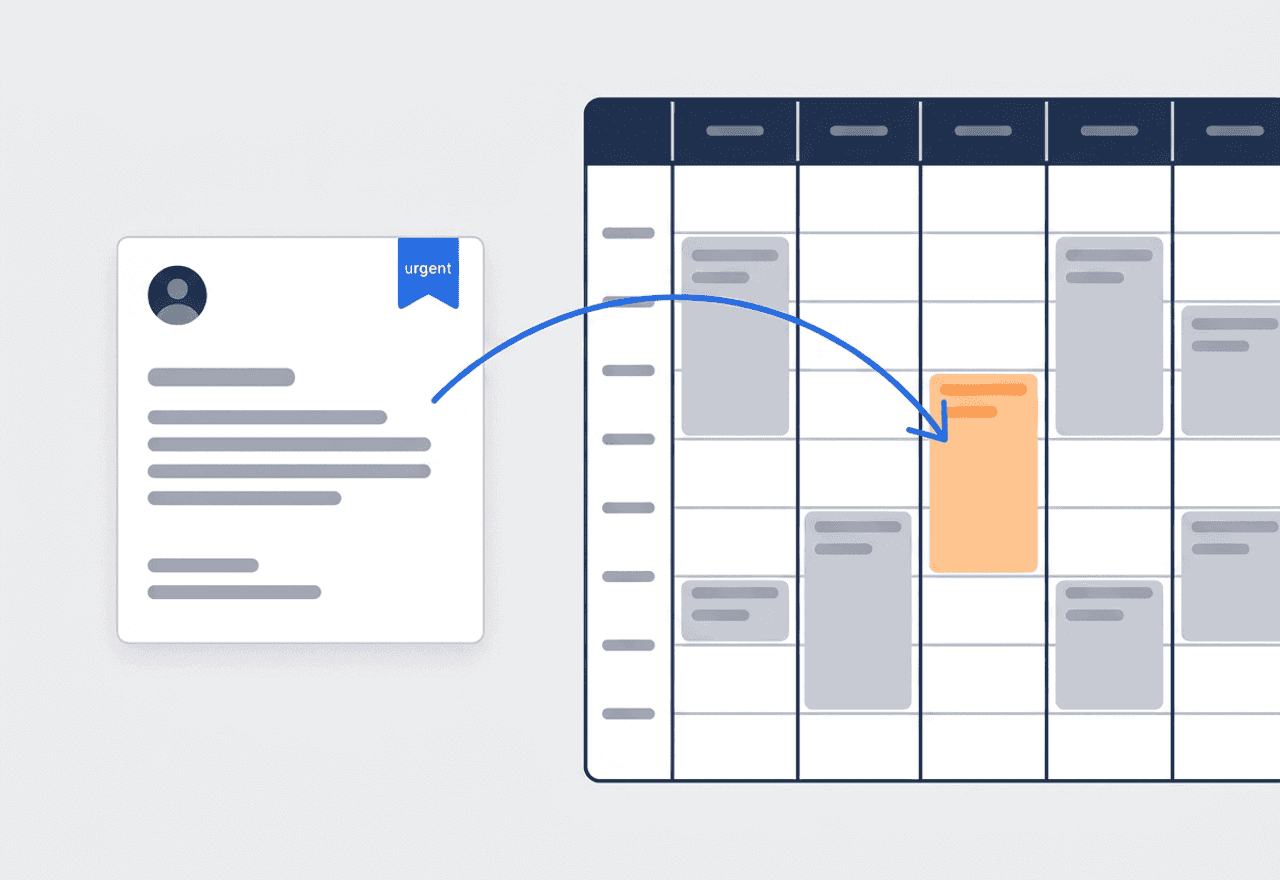
Every call from a PM becomes a Request
A property manager calls or emails about a repair. Log it as a Request, mark it urgent for a no-heat or an active leak, and reserve a tentative calendar block in orange. Nothing else can be booked over that slot. Convert it to a job or an estimate when the PM says go.
- Statuses New, Contacted, Quoted, Invoiced, Converted, or Lost
- Urgent flag on the request and a tentative hold on the calendar
- Convert to a job or create an estimate without retyping
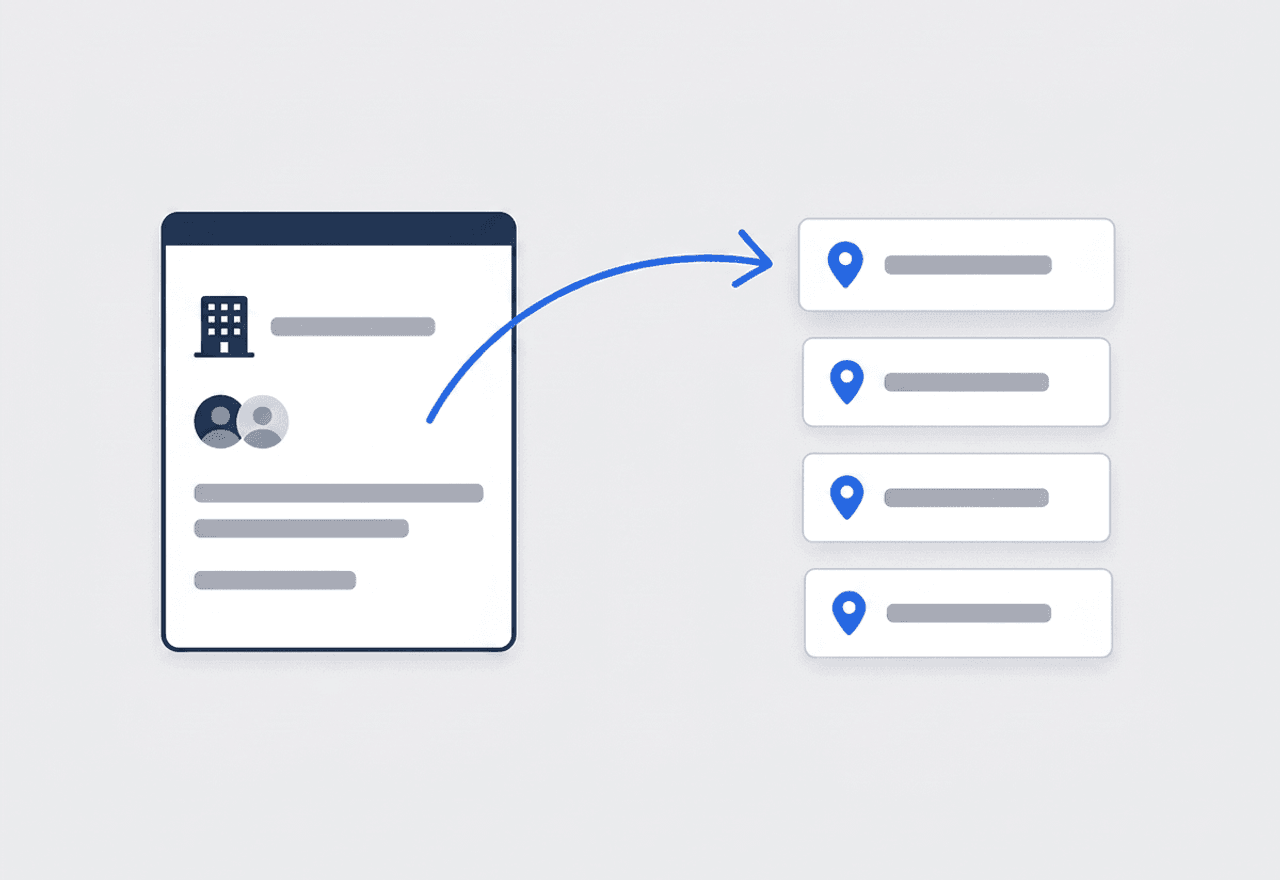
One account, every address under it
Set up the management company once as a Business customer with its own contacts. Add every unit and building it hands you as an address on that account. Each address carries its own Property Details, its own jobs, and its own photos, while receivables roll up to the one customer who pays.
- Multiple addresses and contact persons on a single customer
- Property Details per address — lockbox code, tenant contact, knock first
- Job, estimate, invoice, and payment history under one record
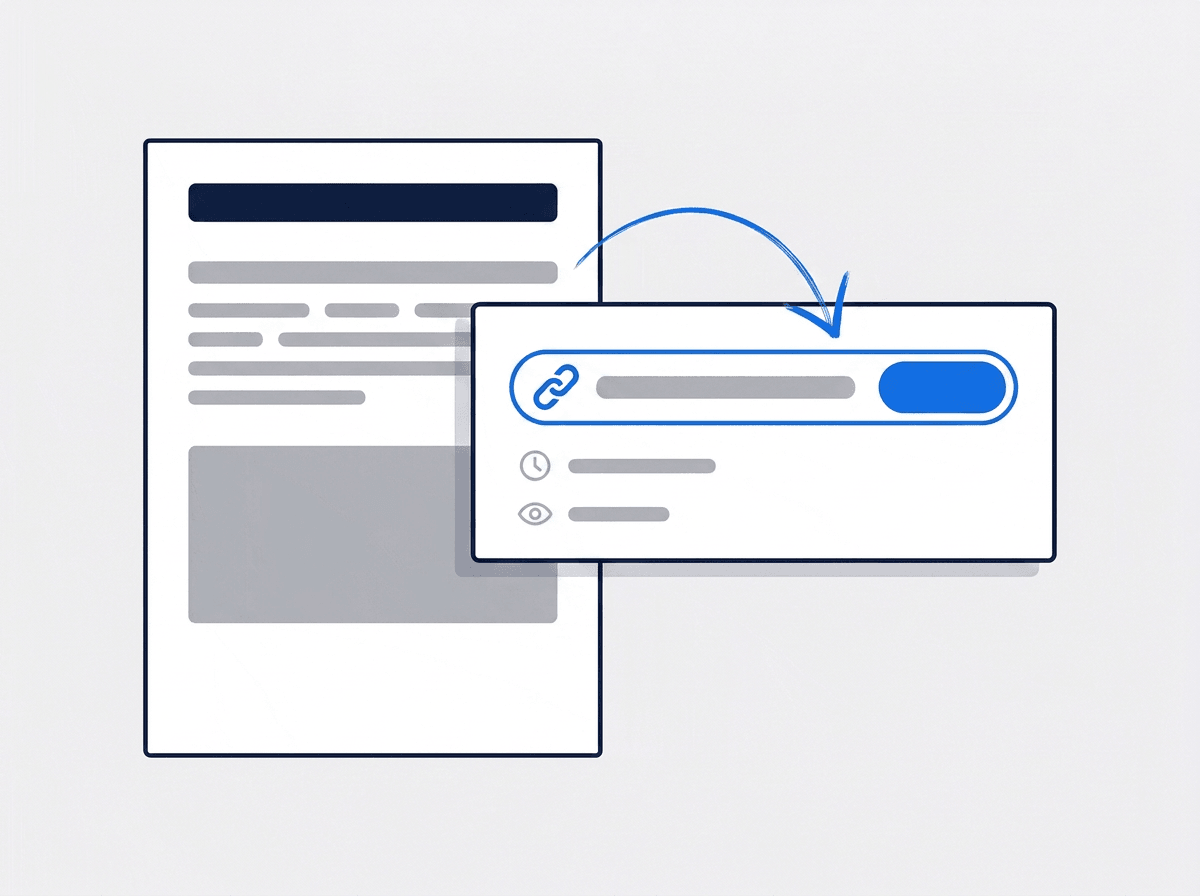
Send the owner a report, not a folder
Pull the Before and After photos your tech already took into a branded PDF, with a heading and a caption per photo. Save the layout as a template for the next unit. Share it as a link with an expiry date, then watch the view count to know the owner opened it.
- Photos grouped by stage and tag, captions auto-filled from the tags
- Save the turnover report once as a template and reuse it
- Share link with a 7 to 365 day expiry and a view counter
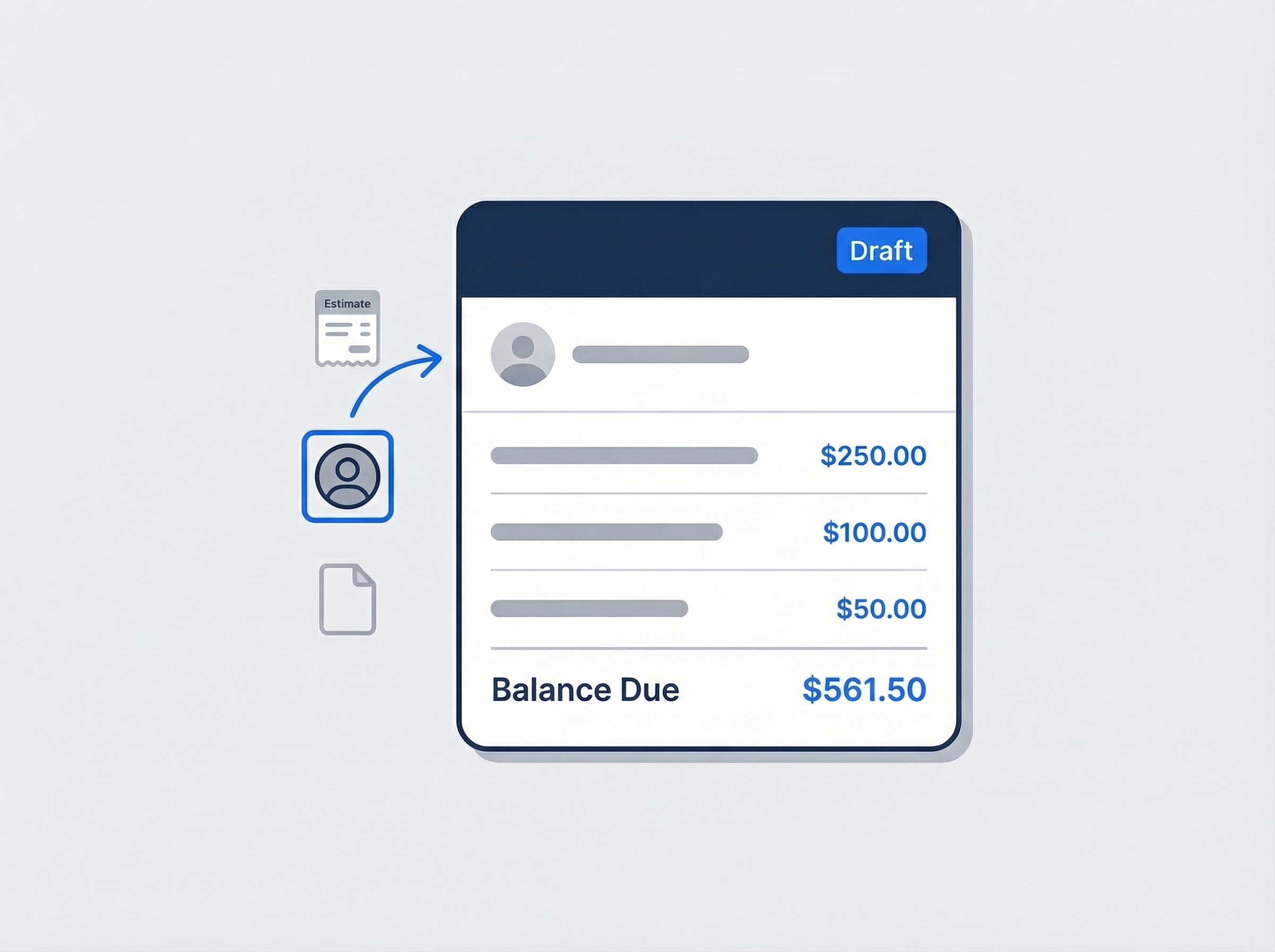
An invoice per job, a statement per month
Raise an invoice from the completed job or from the accepted estimate, one per unit, with net terms that set the due date for you. When the management company sends one check for the month, record it across every open invoice at once and let the statement show the running balance.
- One click from estimate to invoice, line items carried across
- Take one check against every open invoice on the account
- Customer statement with a date range and a running balance

One property manager, dozens of addresses, one record
A management company is one customer to you, even when it hands you forty units across six buildings. JobTrail models it that way. The company is a Business customer with its own contact persons — the PM, the assistant, the accounts payable desk. Every unit sits under it as an address with its own Property Details: lockbox code, tenant name and phone, whether to knock first, the water heater model. When a tech opens the job in Field Mode, those details are on the phone before the key is in the lockbox. And when the PM asks what you did at 3A last spring, the job, its photos, and its invoice are on the record, not in someone’s memory.
- Business customer with several contact persons and addresses
- Property Details per unit, read on the phone in Field Mode
- Receivables and statements roll up to the account that pays

The owner sees the work, not your word for it
An out-of-town owner will not visit the unit. The property manager may not either. What they see is what your tech photographed. In Field Mode, photos land on the job under Before, During, After, and Final, plus any custom tag you define — Kitchen, Bath, Exterior. Open the report builder, pick the photos from the job, and drop them onto a page preset with the job header and your logo. Save it as a template so the next turnover report takes a minute. Then create a share link with an expiry, send it, and see the view count tick over when the owner opens it.
- Photos tagged by stage and by room as the crew works
- PDF built on a page canvas, saved as a reusable template
- Share link with an expiry, a view count, and a revoke button

The monthly bill is one document, not thirty
Property managers pay by account, not by faucet. Invoice each job as it closes so the line items match the repair the PM approved. At month end, run a customer statement with a date range and a running balance — one document the PM can approve. When the check arrives for the batch, record it once and let JobTrail spread it across the open invoices, oldest first. Overpay on one unit and the difference becomes a credit on the account, not a refund you chase later. Aging across current, 30, 60, and 90+ days shows which management company is slow before it becomes a problem.
- One statement per property manager with a running balance
- One payment recorded across many invoices, oldest first
- Aging by account so you know who is drifting past net 30
“The PMs I work for used to get thirty invoices and a phone call at the end of the month. Now they get one statement with the running balance — and when they ask about a unit, the before-and-after photos are already sitting on the job.”

Kevin O'Neill
Owner, O'Neill Property Services
Ready to run your property maintenance business from one place?
Start a free trial, add one management company with its addresses, and run a real week of turnovers and repairs through it. No credit card, and nothing held back for a higher plan.
14-day free trial · No credit card required
Beyond property maintenance jobs — everything built in
AI Assistant
Powered by Google Gemini. Look up a job, create or update a customer, and ask about a photo — in plain English.
HR & Payroll
Employee records, leave that accrues itself, and a pay run in one grid.
Fleet Management
Assign vans to crews, log every service, and set service reminders.
Work Permits
Match permit requirements to the job address. Track the documents each issuer wants, through to approved.
What is property maintenance software?
The system a maintenance contractor uses to run repairs, turnovers, and rounds across the units and owners it serves. The gap between tools is how much of the month they cover — the request, the repair, the proof, and the bill.
| What a property maintenance contractor runs on | SheetsCalendar + spreadsheets | Sched. onlyScheduling-only tools | JobTrailJobTrail |
|---|---|---|---|
| Many addresses on one accountEach unit with its own details and history | No | Partly | Yes |
| Requests with a tentative holdUrgent flag, orange block, no double-booking | No | Partly | Yes |
| Photo report by share linkExpiry and view count on every link | No | Partly | Yes |
| Statements with running balanceAging across current, 30, 60, 90+ days | No | Partly | Yes |
| Payroll, leave and attendancePeople on leave flagged as you build a crew | No | No | Yes |
| Vehicle maintenance and work permitsService reminders, permit paperwork by address | No | No | Yes |
Yes CoveredPartly Varies by productNo Not covered
Why the last two rows set the real price
A scheduling tool covers the calendar and the invoice. Then payroll for the techs is a second subscription, the van log is a third, and permits for the gated community live in a binder. Add those up before you compare monthly prices. JobTrail includes payroll, leave, fleet, and permits in every plan, so the number on the pricing page is the whole cost.
No two weeks in this trade look alike. The same five days can hold a common-area round for an HOA, three make-readies for a management company, and an urgent no-heat call at a fourth property. Software that handles the make-ready but not the round, or the invoice but not the statement, pushes the rest back into a spreadsheet.
The units that hurt are the ones nobody documented
A tech swaps a garbage disposal, takes no photo, and the owner disputes the charge a month later. A new hire shows up at a unit without the lockbox code and waits an hour for the PM to text it. A tenant complaint lands with the office and nobody can find which visit it refers to. None of those is a skills problem. Every one is a missing record.
The reactive side of the trade books itself — a PM calls, you go. It is the planned side that slips: filter rounds across a portfolio, fall gutter cleaning, the weekly walk of the common areas. Rebuilding that by hand every season is the job that keeps getting pushed to next week. Setting the weekdays and a date range once puts the whole round on the calendar in a single pass.
Property maintenance software questions, answered
The one that treats a property manager as one account with many addresses, and does not charge you per module for the rest. A two-tech operation serving three management companies needs the same things a twenty-tech company does: a request pipeline, a job with photos, per-job invoices, and a statement at month end. Judge a shortlist on whether it handles all four without an add-on, and on whether your tech can work a make-ready from a phone with no training.
Yes. Create the management company as a Business customer, add its contact persons — the PM, the assistant, accounts payable — and add every unit or building as an address on that record. Each address carries its own Property Details, jobs, and photos. Receivables, statements, and aging roll up to the one customer who writes the check, so you bill the account and still keep the history per unit.
Log it as a Request the moment the call comes in, mark it urgent, and reserve a tentative calendar block. That block shows in orange and stops anyone booking over it. When the PM confirms, convert the request to a job or create an estimate from it. Note that property managers cannot submit requests themselves through a portal or online booking form — your office logs them, and the pipeline runs from there.
Yes, through a report you share. Photos your tech takes in Field Mode are tagged Before, During, After, and Final. Pull them into the report builder, lay them out on a page with your logo, and create a share link with an expiry of 7 to 365 days. You can watch the view count and revoke the link at any time. JobTrail does not email the report from inside the app — you copy the link and send it your usual way.
Yes, and this is the workflow the trade runs on. Invoice each job as it closes so every line matches a repair the PM asked for. At month end, generate a customer statement with a date range and a running balance. When one check arrives, record a single payment and JobTrail spreads it across the open invoices, oldest first. There is no recurring or automatic billing and no online payment processing — you raise the invoice and record the check.
Yes, weekly. Set the job schedule to Weekly, pick the weekdays with Repeat On, and set a start and end date. Every visit in that range lands on the calendar and you see the whole list before you save. There is no monthly or quarterly repeat mode. For a seasonal gutter cleaning or a quarterly filter change, put several time slots on one job instead — one job, several visits, one history.
On the address, as Property Details. Define the fields once in Settings — lockbox code, tenant name and phone, knock first, alarm code, appliance models — as text, number, or dropdown, and they appear on every unit you add. Techs see them in Field Mode before they reach the door. If some of that should stay with the office, custom roles can hide specific fields from a role, so a field tech sees the code and not the owner’s billing contact.
By who you serve and how the money moves. Facility management tools are built for the team inside one large commercial facility. Building maintenance covers upkeep of commercial buildings. Property maintenance contractors serve landlords, property managers, and HOAs across many small residential units, and get paid by the account each month. JobTrail fits that shape — many addresses under one customer, requests logged from the PM, and a statement at month end.
Plans start at $39 a month for a solo operator and scale with your team. Every plan includes every feature — scheduling, jobs, estimates, invoicing, HR and payroll, fleet, permits, and the AI assistant. There are no add-on modules and nothing is locked behind a higher tier, so the price you see is for the whole platform. The tiers run Solo at $39 a month for one user, Team at $139 for up to five, Growth at $199 for up to ten, and Scale at $299 for up to fifteen, each with a 14-day free trial.
Yes. JobTrail offers a 14-day free trial with full access to every feature and no credit card required. Set up your customers, put a week of real jobs on the calendar, and send a live invoice before you decide.
Put your next property maintenance job in JobTrail
All of it is open in the trial. Add a management company with ten addresses, log an urgent request, and share a photo report with the owner.
14-day free trial · No credit card required