MEP Contractor Software
JobTrail puts your mechanical, electrical, and plumbing crews on one calendar — the buildout, the rough-in photos, the permit, and the invoice to the property manager. Payroll for every trade and the van fleet come included.
14-day free trial · No credit card required





Join 14,000+ pros

Built In AI Assistant
Powered by Google Gemini

Ongoing
Rough-in inspection · 10:15 AM
Mechanical crew · Permit obtained
15+ hrs
Saved Per Week
2X
Faster Invoicing
47%
Revenue Growth
14,000+
Pros On JobTrail
Built for the way MEP contractors run — from the first site walk to the final invoice on a three-trade buildout.
Based on JobTrail customer data, 2026.
Everything an MEP contractor needs
Three trades means three crews, three sets of permits, and one property manager waiting on the invoice. Most tools give you a calendar and stop there. JobTrail covers the whole operation, and every plan includes every piece.
Scheduling
Team rows on one calendar — mechanical, electrical, and plumbing side by side, with conflict warnings before you save.
Customers
Business customers with contact persons, every building address, and the balance each property manager still owes.
Estimates
Line items per trade, tax, and an expiry date. Clone one for a revision, convert the accepted one to an invoice.
Invoicing
Record progress payments as they land, see aging by account, and pull a statement with a running balance.
Job reports
Turn rough-in and trim-out photos into a branded PDF the owner or GC can open from a share link.
Crews & teams
A team per trade with its own color, dated roster changes when someone is out, and a schedule row for each.
Time off
Leave requests and balances for every trade, with the person who is off flagged while you build the crew.
Job conversations
A thread on each job where the foreman, the office, and the other trades talk — instead of three group texts.
Incidents
Log a lift incident, damaged gear, or a site complaint with photos, and track it from open to closed.
How a commercial MEP job runs in JobTrail
Book the site
Click a slot, pick the customer and building, and set the crew. Use Range mode for a week of rough-in, or add a slot per trade on the same job.
Run the phases
Each crew opens Field Mode, reads the Property Details on the address, and ticks off scope lines. Photos upload tagged Phase: Rough-in or Location: Roof.
Bill the account
Convert the accepted estimate to an invoice, record each progress payment, and hand the property manager a statement with the running balance.
The parts of a multi-trade week that eat your time
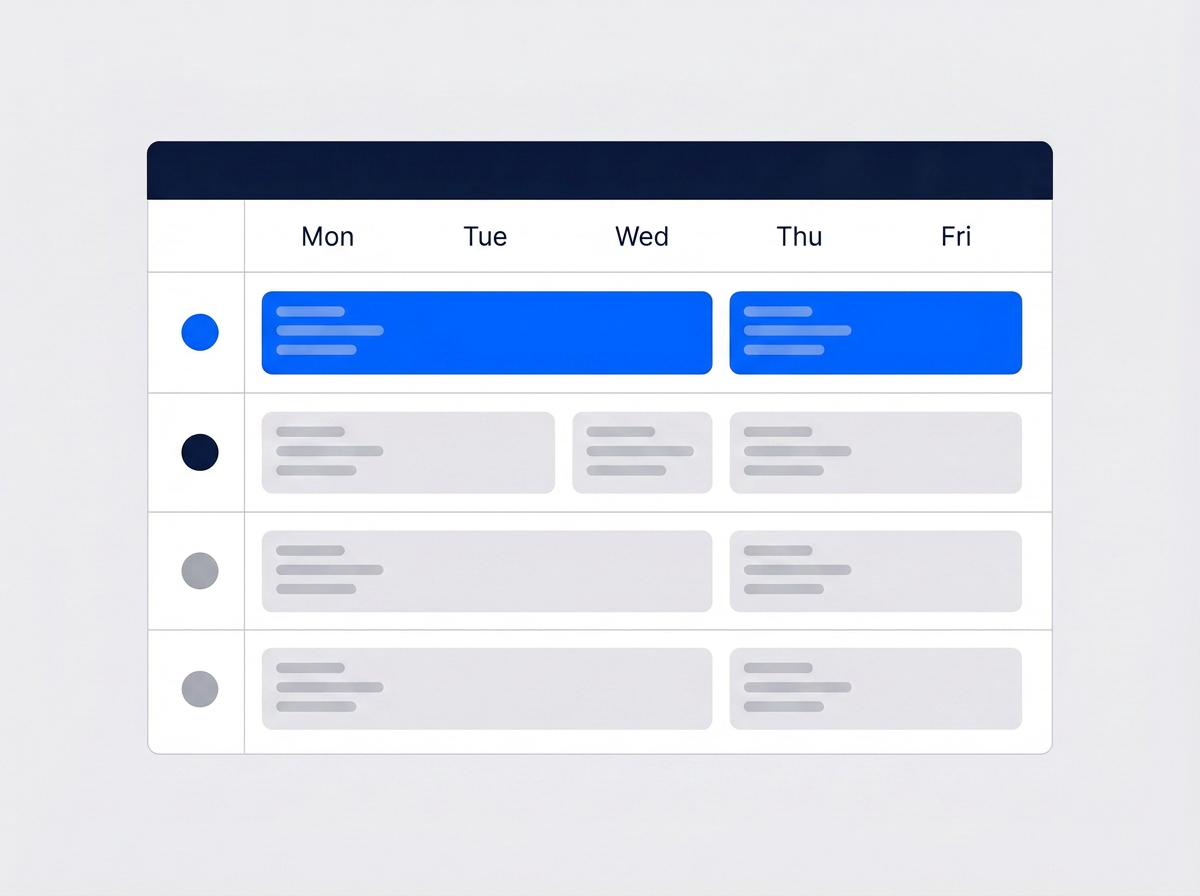
Every trade crew in its own row
Give mechanical, electrical, and plumbing each a team and a color. Open the Schedule view and each crew is a row across the week, so a three-trade buildout reads at a glance. Filter down to one team or one tech when you need to.
- One team per trade, each with its own color
- Schedule view puts every crew on its own row
- Conflict warnings before you double-book a foreman

Permit paperwork matched to the address
Define a work permit process once — the coverage area, who issues it, the documents they want, and the fee. When you book a job at a covered address, JobTrail matches the process to it and tracks the permit from Needed to Requested to Obtained.
- Issuer types: government authority, facility management, security desk
- Required-documents checklist: permit form, worker IDs, insurance
- Auto-matched to the job by its address, status on the job
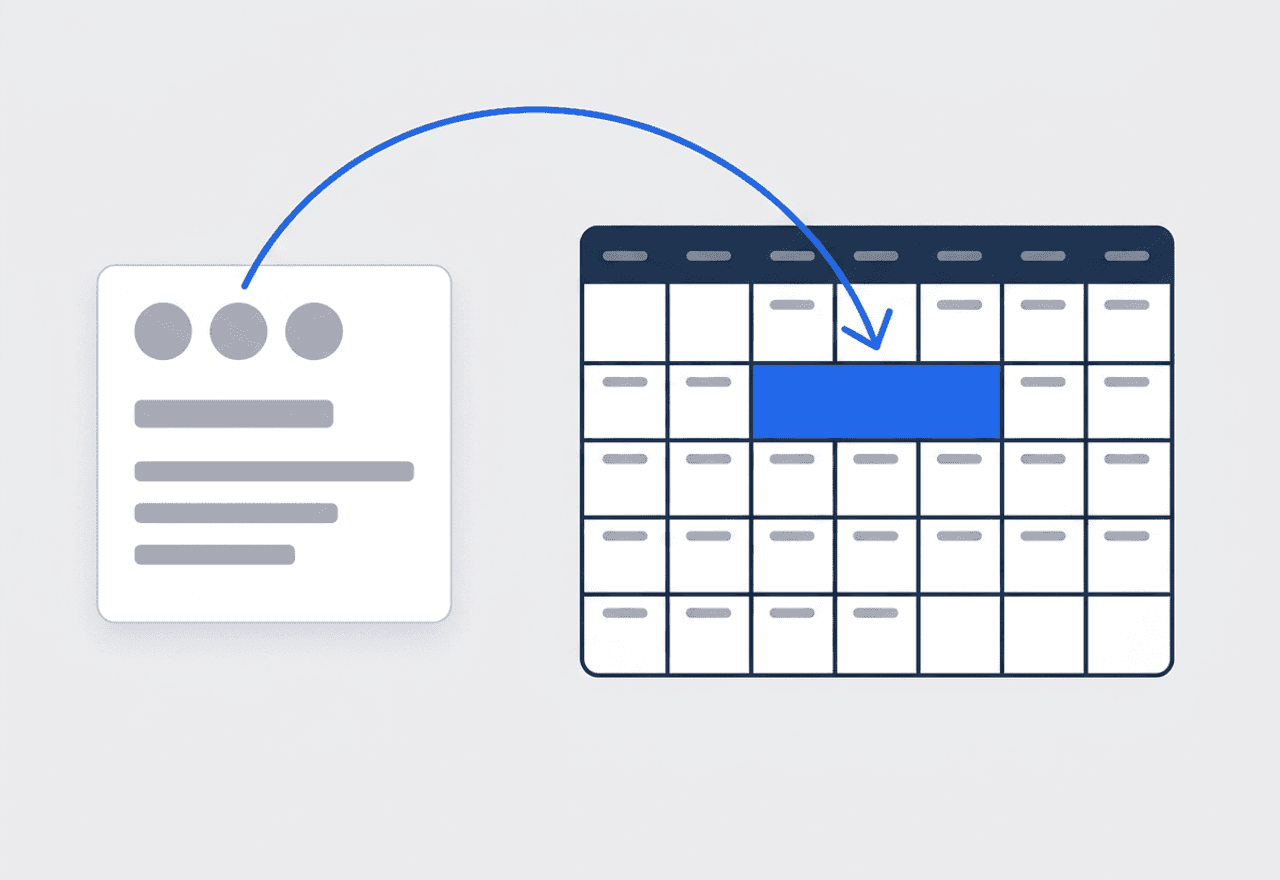
A buildout stays one job
A tenant improvement runs three weeks and needs all three trades. Keep it as one job with several time slots — Range mode for the consecutive days, extra slots for the plumbing rough-in and the electrical trim-out. One record, one photo history, one invoice chain.
- Range mode for consecutive days, extra slots per trade
- Photos tagged by stage plus your own phase and location tags
- Revisits for punch-list items stay linked to the job
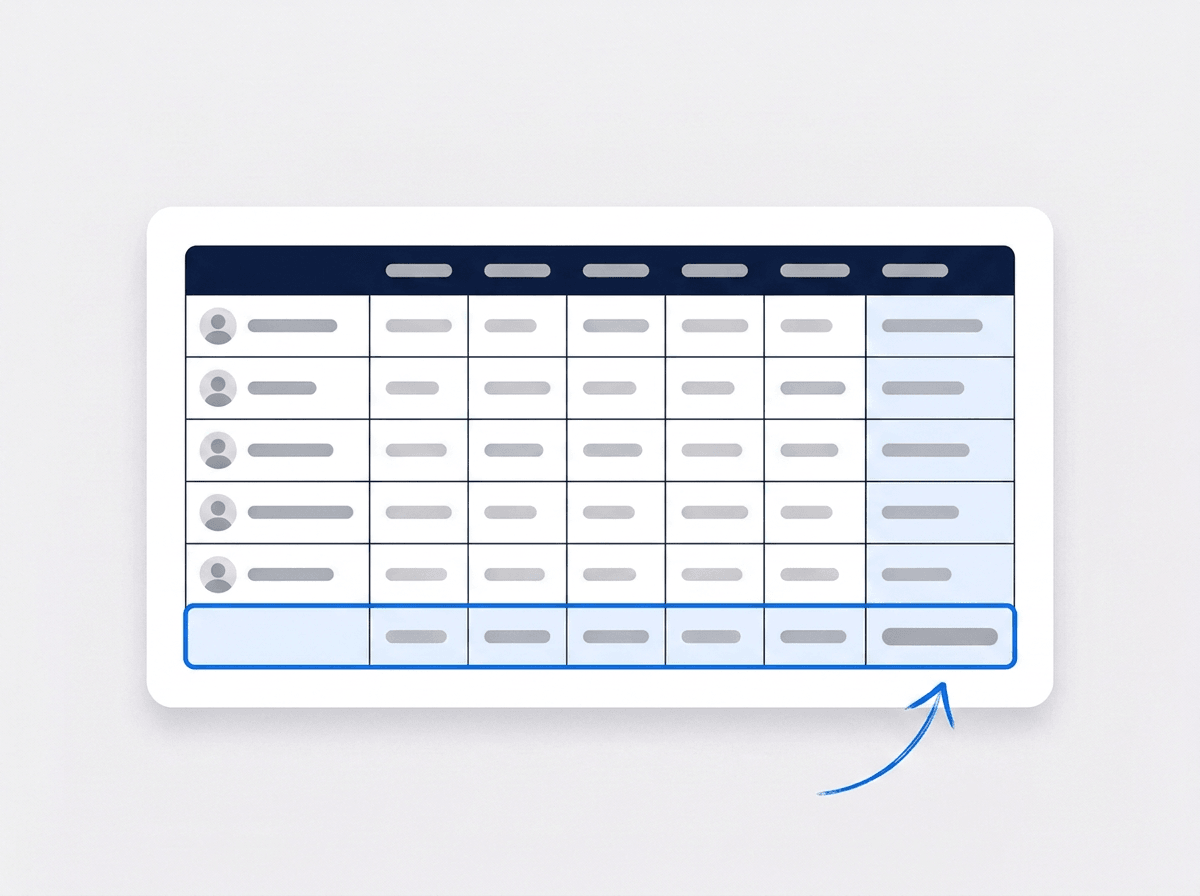
One pay run for every trade
Run payroll for the pipefitters, the electricians, and the plumbers in one grid. Base pay and allowances come from each payroll profile. Unpaid leave is already deducted. Add an overtime or per-diem column when a job calls for it and review net pay in the same grid.
- One row per employee, pre-filled from their profile
- Unpaid leave deducted for you, not by hand
- Add your own earning and deduction columns

Three trades, one schedule, no whiteboard
Set up a mechanical team, an electrical team, and a plumbing team, each with a color from the schedule palette. The Schedule view lays every team out as a row, so Monday shows who is on the office buildout and who is on the RTU swap. When a pipefitter calls in sick, make a dated roster change for that crew and the default roster stays untouched. Someone on approved leave is flagged in the crew builder before you assign them. A team idle between contracts can be disabled from a date and drop off the calendar without being deleted. Each tech opens My Schedule and sees only their own days.
- Mechanical, electrical, and plumbing as separate colored teams
- Dated roster changes when a crew runs short
- Leave conflicts flagged while you build the crew

Permits, phases, and photos on one job
A commercial job at a managed building starts with paperwork. Define the permit process for that property once — the coverage area, the issuer, the required documents, the fee. Book a job at that address and JobTrail flags the matching process. Apply it and the permit shows as Needed before anyone rolls. Then the phases begin. Your crews upload photos tagged Before, During, After, and Final, plus your own tags such as Phase: Rough-in or Location: Roof. Filter them by tag when the inspector asks. Raise a flag with a photo when the GC has moved a wall into your duct run. Build a PDF report from those same photos and hand the owner a share link that expires when you say.
- Permit auto-matched by address, tracked to Obtained
- Photos filtered by phase and location tags
- PDF report with an expiring share link

Know what every property manager owes
Most of your billing goes to a business, not a homeowner. Create the customer as a Business, with contact persons — the property manager, the accounts payable clerk, the building engineer — each with their own phone and email. Add every building they own as an address. Quote the job with line items per trade and an expiry date. When they accept, convert the estimate to an invoice in one click. Record each progress payment as it lands, and see the balance still open on that account across current, 30, 60, and 90+ days. When they ask where they stand, generate a statement with a running balance for the date range they want.
- Business customers with contact persons and many addresses
- Progress payments recorded against the invoice
- Statements with a running balance, aging by account
“Most weeks I've got a mechanical crew, two electricians, and a plumber on the same buildout. Now the whole site sits on one screen — one row per trade, one color each — and I can see who's short before Monday.”

Frank Russo
Owner, Russo Mechanical & Electrical
Ready to run all three trades from one place?
Start your free trial and put a real buildout on the calendar with a crew per trade. No credit card, every feature switched on, nothing held back for a bigger plan.
14-day free trial · No credit card required
Beyond MEP scheduling — everything built in
AI Assistant
Powered by Google Gemini. Look up a job, create or update a customer, and ask about a photo — in plain English.
HR & Payroll
Employee records, leave that accrues itself, and a pay run in one grid.
Fleet Management
Assign vans to crews, log every service, and set service reminders.
Work Permits
Match permit requirements to the job address. Track the documents each issuer wants, through to approved.
What is MEP contractor software?
The system a mechanical, electrical, and plumbing contractor runs its crews, jobs, and billing on. The real question is whether it covers all three trades — and the people and vans behind them.
| What an MEP contractor runs on | SheetsCalendar + spreadsheets | Sched. onlyScheduling-only tools | JobTrailJobTrail |
|---|---|---|---|
| Crews per trade on one calendarA row and a color for each team | No | Partly | Yes |
| Multi-day commercial jobsOne record, slots per trade and phase | No | Partly | Yes |
| Roster changes when a crew is shortSwap the crew for a date range only | No | Partly | Yes |
| Photos tagged by phaseRough-in, trim-out, roof — filter and report | No | Partly | Yes |
| Payroll, leave and attendancePeople on leave flagged as you build a crew | No | No | Yes |
| Vehicle maintenance and work permitsService reminders, permit paperwork by address | No | No | Yes |
Yes CoveredPartly Varies by productNo Not covered
Why coverage across trades decides the real price
A scheduling tool priced per user looks cheap until you add the payroll app, the leave spreadsheet, the vehicle log, and the folder of permit forms. Each one is another subscription and another login for the office. Add those up before you compare prices. JobTrail includes payroll, leave, fleet, and permits in every plan, so the price on the pricing page is the whole price.
MEP work is three trades and several kinds of week at once. One crew is on a three-week tenant improvement. Another is swapping a rooftop unit tomorrow. A plumber is on annual backflow tests at four buildings. Software that only handles single-day service calls pushes the rest back onto a whiteboard.
The paperwork that gets lost between trades
The electrical rough-in photos live on one foreman’s phone. The permit for the building sits in an email nobody can find. The GC disputes what was in the mechanical scope, and the estimate is a PDF on a laptop at home. Each of those is a record-keeping gap before it is a trade problem, and each costs a day when an inspector or an owner asks.
Then there is the crew. A pipefitter is out for a week, the roster is rebuilt by text message, and nobody updates the schedule. Payroll runs from a spreadsheet that does not know who took unpaid leave. Keeping the roster, the leave, and the pay run in the same place as the jobs is what makes a multi-trade week hold together.
MEP contractor software questions, answered
The one that puts all three trades on one calendar without charging per module. A contractor with one crew per trade needs the same things a thirty-tech operation does. Team rows on a schedule, a job that holds a multi-day buildout, permits tied to the address, invoicing to business customers. Compare total cost with payroll and fleet turned on, and check whether a foreman can run their part from a phone. JobTrail is not a construction project management suite — there are no submittals, RFIs, or job costing.
Yes. Create a team for each trade and give it a color from the schedule palette. The Schedule view lays every team out as its own row across the day or week, so you see all three trades on a site at once. Filter by one team or one employee when you need the detail. Assign the crew right there, and JobTrail flags the conflict before you save if that tech is already booked.
As one job with several time slots. Use Range mode for the consecutive days of a buildout, then add separate slots for the plumbing rough-in and the electrical trim-out, each with its own crew. The photos, scope, flags, and invoices all sit on that one record. Punch-list revisits link back to it. There is no drag-and-drop rescheduling — you edit the slot on the job — and no job costing against a budget.
Yes. Define a work permit process with its coverage area, issuer type — government authority, facility management, security desk, or residents association — the required documents, and any fee. Required documents can include the permit form, worker IDs, insurance, and vehicle registration. When you book a job at a covered address, JobTrail flags the matching process. Apply it and the permit runs Needed, then Requested, then Obtained. It does not submit the application to the authority for you.
Make a dated roster change. Pick the team, set the start and end date, and choose who is on the crew for that window. The default roster stays untouched and comes back on its own when the window ends. If the reason is approved leave, the crew builder already flags that person and sorts them to the top, so you see it before you assign. You can also disable a whole team from a date if it is idle between contracts.
Yes. Every photo carries a stage tag — Before, During, After, or Final — and you can add your own tags such as Phase: Rough-in, Phase: Trim-out, or Location: Roof. Filter the job’s attachments by tag or date range when an inspector or the GC asks. Those tags also print as labels when you pull the photos into a PDF report, so a photo tagged Before and Location: Roof reads that way on the page.
Yes. Set the customer up as a Business with contact persons and as many addresses as they own. Estimates and invoices carry line items and tax, and an accepted estimate becomes an invoice in one click. Record full or partial payments as they arrive, apply credits from overpayments, and generate a statement with a running balance for any date range. JobTrail does not process card payments online or send payment reminders — you record what lands.
Yes. Each employee has a payroll profile with base salary, payment frequency, and allowances. Run the pay period in one grid with a row per employee, add overtime or per-diem columns as earnings, and unpaid leave is deducted for you. Leave policies accrue balances on their own, and approved leave shows up when you build a crew. JobTrail does not calculate taxes or file returns — that stays with your accountant.
Plans start at $39 a month for a solo operator and scale with your team. Every plan includes every feature — scheduling, jobs, estimates, invoicing, HR and payroll, fleet, permits, and the AI assistant. There are no add-on modules and nothing is locked behind a higher tier, so the price you see is for the whole platform. The tiers run Solo at $39 a month for one user, Team at $139 for up to five, Growth at $199 for up to ten, and Scale at $299 for up to fifteen, each with a 14-day free trial.
Yes. JobTrail offers a 14-day free trial with full access to every feature and no credit card required. Set up your customers, put a week of real jobs on the calendar, and send a live invoice before you decide.
Put your next MEP buildout in JobTrail
Every feature is on from day one. Set up a team per trade, book a multi-day job with a permit on it, and generate a statement for a business customer.
14-day free trial · No credit card required