General Contractor Software
JobTrail keeps a six-week remodel on one job — every visit, every phase photo, every permit, every invoice. Your crew works from a phone, and the homeowner gets a report link instead of a shoebox of pictures.
14-day free trial · No credit card required





Join 14,000+ pros

Built In AI Assistant
Powered by Google Gemini

Ongoing
Kitchen remodel · Day 14
Phase: Drywall · 3 of 5 invoices paid
15+ hrs
Saved Per Week
2X
Faster Invoicing
47%
Revenue Growth
14,000+
Pros On JobTrail
Built for the way general contractors run — from the first walkthrough to the final progress payment.
Based on JobTrail customer data, 2026.
Everything a general contracting business needs
A remodel touches an estimate, a permit, four crews, sixty photos, and three invoices before it closes. Most software makes you keep half of that somewhere else. JobTrail holds the whole job in one record.
Scheduling
Book a two-week framing stretch as one job with a date range, and see every crew on team rows.
Customers
Every homeowner, every address, every remodel you have done there — and what they still owe.
Estimates
Line items with tax and expiry. Clone the estimate for a change request instead of starting over.
Invoicing
Several invoices on one job, partial payments as they land, and an aging view of what is late.
Job reports
Turn phase photos into a branded PDF progress report and share it with the homeowner by link.
Crews & teams
Framing, drywall, and finish crews with their own colors and dated roster changes when someone is out.
Job conversations
A thread on the job for the tile question, the mention to your lead, and the answer — not a text chain.
Incidents
Log a fall, a damaged saw, or a homeowner complaint with photos and work it through to closed.
Documents
Worker IDs, licenses, and certificates on each employee with expiry warnings — ready when the permit desk asks.
How a general contracting job runs in JobTrail
Estimate the remodel
The request comes in, you hold a tentative slot, and you build the estimate. When the homeowner adds a second bathroom, clone it for the revision.
Run the phases
One job carries every visit across the weeks. Crews open Field Mode, work the scope, and tag photos by phase so the record builds itself.
Bill as you go
Raise an invoice at each milestone, record the partial payments, and read what is still owed on the job before the final walkthrough.
The parts of a remodel that eat your evenings

Know which jobs need paperwork
Define a work permit process for the areas you build in — which authority issues it, what documents it needs, and what it costs. JobTrail matches the process to a job by its address, so a basement finish in a permitted area is flagged before you schedule it.
- Required-documents checklist: permit form, worker IDs, insurance
- Auto-matched to the job from the address, with a score
- Status on the job runs Needed, Requested, Obtained
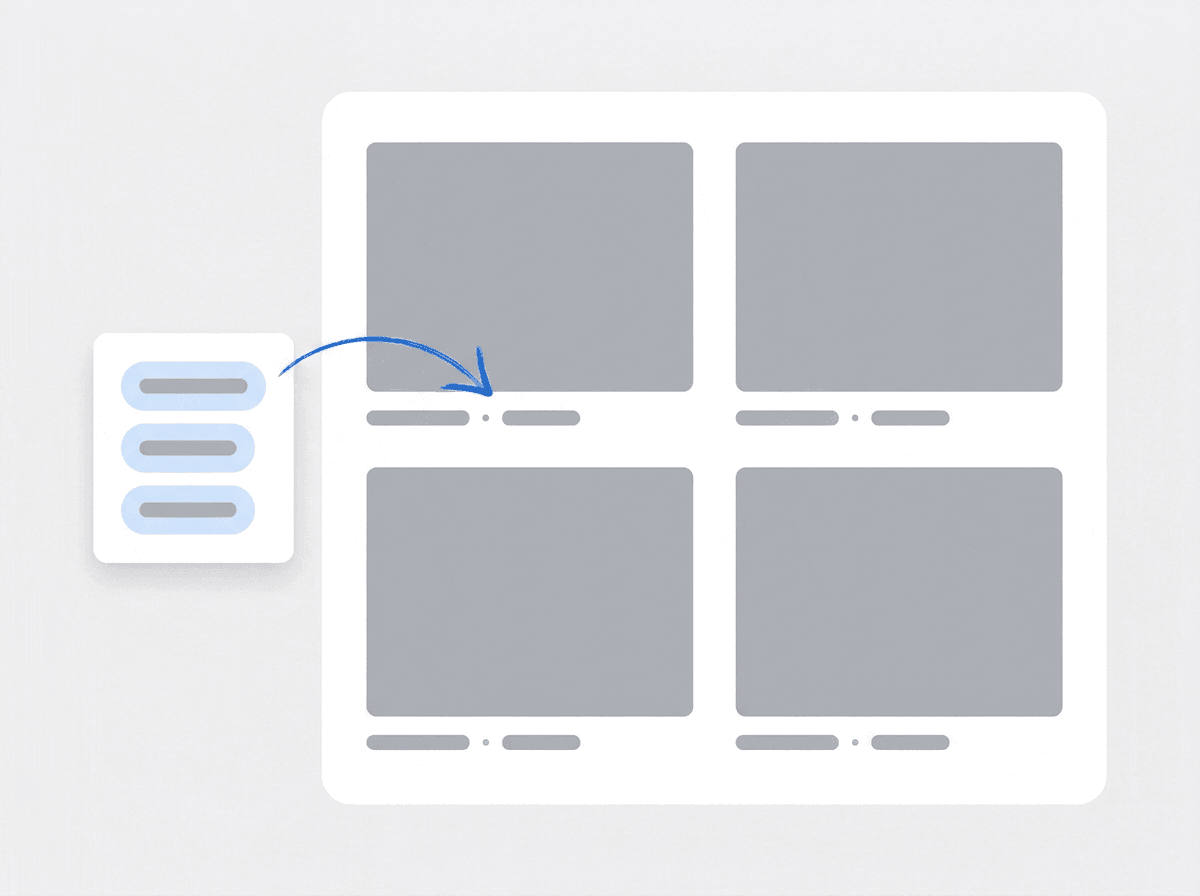
Every phase, tagged and provable
Crews upload photos against Before, During, After, and Final. Add your own tags on top — Phase: Framing, Phase: Rough-In, Phase: Drywall — and filter sixty photos down to the eight that matter. When the homeowner asks what is behind the wall, you have it.
- Stage tags plus custom tags like Phase: Framing
- Filter attachments by stage, tag, or date range
- Photos stay on the job for the whole build
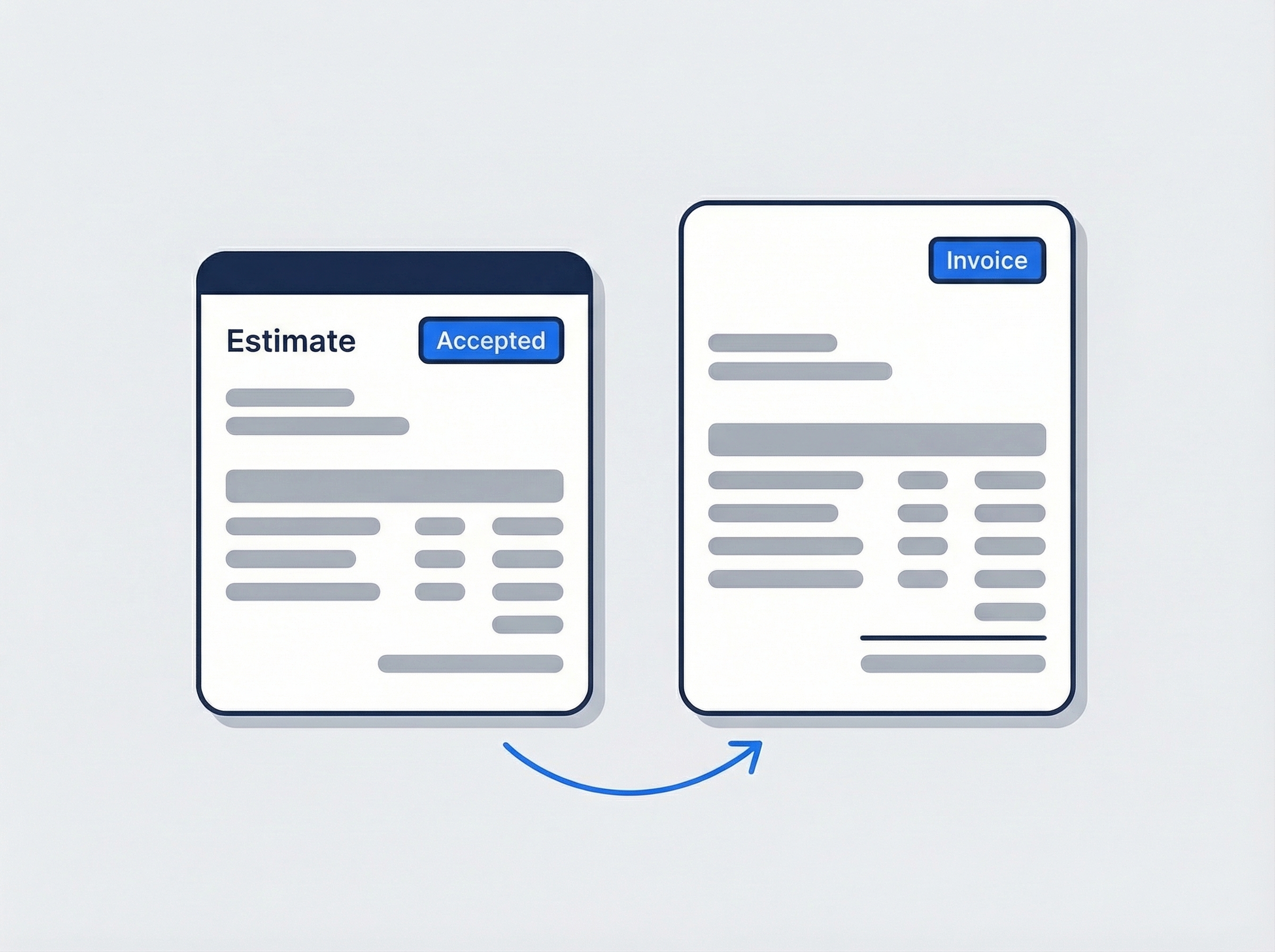
Change requests without a rebuild
The homeowner wants the island moved and a pot filler added. Clone the accepted estimate, edit the lines, and send the revision with its own expiry date. When it comes back accepted, one click turns it into the invoice with every line carried across.
- Clone an estimate for a revision or a second bid
- Line items, tax, and expiry on every revision
- Accepted estimate becomes the invoice in one click
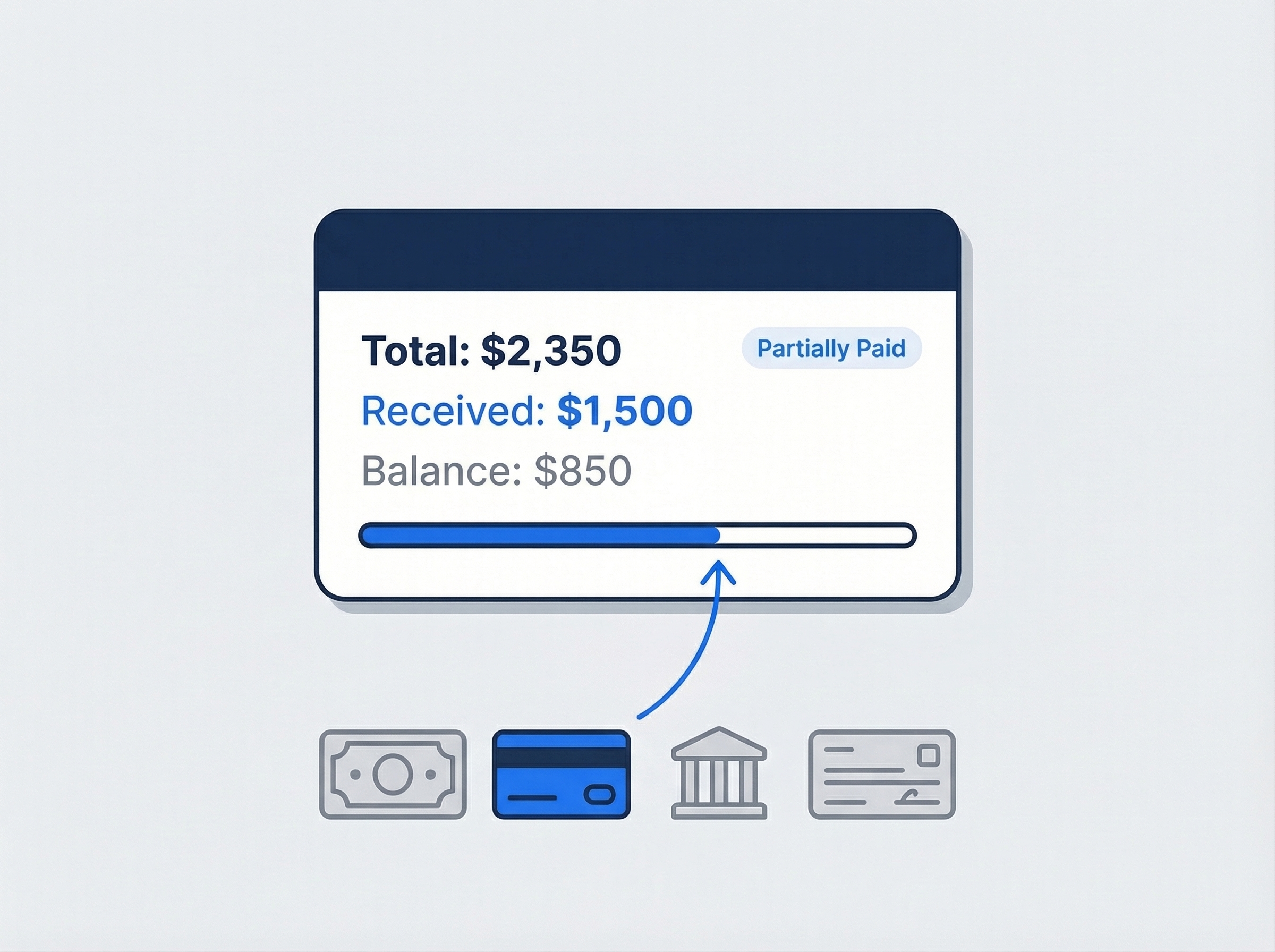
Bill by milestone, track the balance
Raise an invoice at demo, another at rough-in, another at final. Record each check or transfer against the right one and see the balance due on each from the job. Overdue invoices show up in your receivables with an aging breakdown, so you chase before the next crew rolls.
- Several invoices linked to one job
- Partial payments recorded by cash, card, bank, or check
- Aging across current, 30, 60, and 90+ days

Permits, documents and fees by address
Every general contractor knows the job that stalled at the permit desk. Set up a work permit process once — the coverage area, who issues it, the documents they want to see, and the fee. Add the issuer contacts to the process so the phone number is a click away, not in your truck. When you create a job at an address inside that area, JobTrail flags the matching process. Apply it and the job shows a permit status of Needed. Move it to Requested when you file and Obtained when it is in hand. Attach the approved permit to the job so the inspector question has an answer in your pocket. Nothing gets scheduled on a hunch.
- Coverage areas by building or community
- Documents checklist and fee stored on the process
- Permit status tracked on the job itself

Phases, photos and the homeowner report
A remodel generates hundreds of photos and the homeowner sees almost none of them. In JobTrail, crews upload against a stage and tag each shot with the phase it belongs to. At the end of the week you open the report builder, pick the photos from the job by tag, and drop them onto a real page with a heading and a short note. The photo labels print themselves from the tags. Save it as a template and next week’s report takes minutes. Then send the link, set it to expire in 30 days, and watch the view count tick up.
- Pick photos from the job, grouped by tag
- Page presets and saved templates for the next report
- Share link with an expiry and a view count

Progress payments and what is still owed
On a long job the money arrives in pieces, and losing track of a piece is how a profitable remodel ends up thin. Link as many invoices to the job as your milestones need. Record every payment against the invoice it belongs to, full or partial, with the check number in the reference field. The customer record shows net receivables with an aging breakdown across current, 30, 60, and 90+ days. When a homeowner rounds up, the extra becomes a customer credit you can apply to the final invoice. Pull a customer statement with a running balance before the closing walkthrough.
- As many invoices on one job as you have milestones
- Overpayments held as customer credits
- Customer statement with a date range and running balance
“We had a homeowner ask what was behind a wall we'd closed up two months earlier. I opened the job, filtered to Phase: Rough-In, and sent her the report link from my truck — that used to be a two-day dig through my camera roll.”

Tom Kowalski
Owner, Kowalski Builders
Ready to run your general contracting business from one place?
Start your free trial and put a real remodel on the calendar, phases and all. No credit card, no feature limits, nothing held back for a bigger plan.
14-day free trial · No credit card required
Beyond general contracting jobs — everything built in
AI Assistant
Powered by Google Gemini. Look up a job, create or update a customer, and ask about a photo — in plain English.
HR & Payroll
Employee records, leave that accrues itself, and a pay run in one grid.
Fleet Management
Assign vans to crews, log every service, and set service reminders.
Work Permits
Match permit requirements to the job address. Track the documents each issuer wants, through to approved.
What is general contractor software?
The system a residential contractor runs its jobs, crews, and billing on. The real difference between tools is whether a six-week job stays one record or splinters into six.
| What a general contracting business runs on | SheetsCalendar + spreadsheets | Sched. onlyScheduling-only tools | JobTrailJobTrail |
|---|---|---|---|
| One job, many visitsA six-week remodel keeps one history | No | Partly | Yes |
| Photos tagged by phasePhase: Framing, Phase: Drywall — filterable later | No | Partly | Yes |
| Homeowner progress reportBranded PDF shared by link with expiry | No | Partly | Yes |
| Progress invoices on one jobSeveral invoices, partial payments, aging | No | Yes | Yes |
| Payroll, leave and attendancePeople on leave flagged as you build a crew | No | No | Yes |
| Vehicle maintenance and work permitsService reminders, permit paperwork by address | No | No | Yes |
Yes CoveredPartly Varies by productNo Not covered
Why the last two rows change the real price
A scheduling tool prices itself against the calendar and the invoice. But a general contractor also runs payroll for a framing crew, tracks leave, keeps two trucks and a trailer legal, and files permits in three jurisdictions. Each of those becomes another app, another login, and another monthly charge. Add them together and the cheap tool is rarely the cheap option. JobTrail includes all of it in every plan.
General contracting is not one job type. In a single month you might frame an addition over three weeks, finish a basement in ten days, and squeeze in a two-day deck. Some of those need a permit and some do not. Software that handles the deck but not the addition pushes the big jobs back onto a legal pad and a group text.
The paperwork that hurts is the paperwork nobody kept
A homeowner disputes a change request and the revised estimate is an attachment somewhere in an email thread. An inspector asks about the rough-in and the photos are on a carpenter who left in June. A milestone check clears and nobody records which invoice it belonged to. None of those are construction problems. They are record-keeping problems that show up months later as arguments.
The long job is where it falls apart. A one-day repair is easy to keep straight. A six-week kitchen has an estimate, two revisions, a permit, four crews, sixty photos, and three invoices — and every one of them tends to live in a different place. Keeping the whole thing on one job record, with a thread on it your lead can read, is what makes week five feel like week one.
General contractor software questions, answered
The one that keeps a long job in one place without charging per module. A two-crew remodeler and a fifteen-person outfit both need estimates that survive revisions, a job record that holds weeks of photos, and invoicing that copes with milestone payments. The smaller company feels the gaps sooner, because a separate payroll app, permit tracker, and messaging tool add up fast. Judge the shortlist on total cost with everything switched on, and on whether a carpenter can tag a photo from a phone without asking how.
Yes. A job can carry as many time slots as the work needs. Book a two-week framing stretch as a date range, then add separate slots for the rough-in inspection day and the punch list a month later. Every visit shows on the calendar under the same job number, and the photos, scope, flags, and invoices from all of them sit on one record. If a crew comes back after the counters land, raise a revisit and it stays linked to the original job.
Clone the estimate. The copy keeps every line item, the customer, and the tax setup, and you edit only what changed — the moved island, the extra outlet, the upgraded tile. Give it a new expiry date and track it from Draft to Sent to Accepted like any other estimate. Once accepted, one click turns it into an invoice. On site, a crew can also raise a flag for work that needs a quote, with a photo. The change is captured the day it is found, not at the final walkthrough.
Yes. Link several invoices to one job — one at demo, one at rough-in, one at final — and record payments against each as they arrive. Partial payments are fine, and an overpayment becomes a customer credit you can apply later. The customer record shows the running balance and an aging breakdown so you know what is late. What JobTrail does not do is a formal schedule of values, lien waivers, or online card processing. You record the check; it does not collect it.
Yes. Define a work permit process with the area it applies to, the issuer type, the documents you need to bring, and the fee. Book a job at an address inside that area and JobTrail flags the matching process. Apply it and the job carries a permit status of Needed. You move it to Requested when you file and Obtained when it comes through, and you can attach the approved permit to the job. It does not submit anything to the building department for you — the filing is still yours.
Build a report from the photos your crew already uploaded. Pick images from the job by stage or phase tag, place them on a page with a heading and a note, and the labels print from the tags. Save it as a template so the next week is quick. Then create a share link, set an expiry of 7 to 365 days, and send it. You can see how many times it was opened and revoke it any time. There is no customer portal or app-sent email — you send the link yourself.
Yes. Create a team for each trade with its own color, and the calendar shows them as separate rows in the Schedule view. When a carpenter is out for a week, set a dated roster change for that range and your default roster stays as it was. Approved leave is flagged while you build the crew, so you do not book someone who is off. What you cannot do is manage outside subcontractors — teams are your own employees, and there is no sub-tracking or pay-application workflow.
No. Field Mode is a single phone screen that shows a crew member their assigned jobs, the scope for today, and the photo upload. Each scope line they tick moves the job along — Scheduled, Ongoing, Completed — with no call to the office. They can raise a flag with a photo when they find rot behind the tub, and you can comment on it from the office. At the end, the homeowner signs the completion certificate on the phone.
Plans start at $39 a month for a solo operator and scale with your team. Every plan includes every feature — scheduling, jobs, estimates, invoicing, HR and payroll, fleet, permits, and the AI assistant. There are no add-on modules and nothing is locked behind a higher tier, so the price you see is for the whole platform. The tiers run Solo at $39 a month for one user, Team at $139 for up to five, Growth at $199 for up to ten, and Scale at $299 for up to fifteen, each with a 14-day free trial.
Yes. JobTrail offers a 14-day free trial with full access to every feature and no credit card required. Set up your customers, put a week of real jobs on the calendar, and send a live invoice before you decide.
Put your next remodel in JobTrail
Every feature on every plan. Set up a permit process, book a two-week job with phase photos, and raise a milestone invoice — all inside the trial.
14-day free trial · No credit card required