Roofing Contractor Software
JobTrail carries a roof from the first inspection photo to the final payment — the report, the estimate and its revisions, the install week, and the invoice. Permits, payroll, and your trucks are already inside.
14-day free trial · No credit card required





Join 14,000+ pros

Built In AI Assistant
Powered by Google Gemini

Ongoing
Re-roof, day 2 of 3 · 11:20 AM
Underlayment photos up · Crew of 4
15+ hrs
Saved Per Week
2X
Faster Invoicing
47%
Revenue Growth
14,000+
Pros On JobTrail
Built for the way roofing crews work — from the ladder inspection to the last shingle and the final draw.
Based on JobTrail customer data, 2026.
Everything a roofing business needs
A roof is a big ticket with a long paper trail: photos, an estimate, a revision, permits, three days of crew, and payments in stages. JobTrail keeps that trail on one record, and every plan includes every piece.
Scheduling
Book a repair, a three-day tear-off, or a full week of installs. Conflict warnings before you double-book a crew.
Customers
Every homeowner, property manager, and address — with roof details on the property and what they still owe.
Estimates
Price by the square, set an expiry, clone a revision when the decking is rotten, convert to invoice in one click.
Invoicing
Record the deposit, the dry-in draw, and the balance against one invoice, and see who is past due.
Job reports
Turn inspection and install photos into a branded PDF, then share a link that expires and counts views.
Crews & teams
Color-coded crews on the calendar, dated roster changes when someone is out, and a Schedule view with a row per crew.
Assessments
Score the final walk against your own checklist — flashing, ridge cap, cleanup, magnet sweep — as a percentage.
Job conversations
A thread on every job, estimate, and invoice, with mentions and an inbox — not a group text with the crew.
Incidents
Log a fall, a damaged ladder, or nails left in a driveway with photos, and track it to closed.
How a roofing job runs in JobTrail
Inspect and report
Photograph the roof from the ladder, tag each shot by stage and slope, and build a PDF report from those photos. Share it with a link that expires.
Estimate and schedule
Price the job in line items, set an expiry, and clone a revision if the scope changes. Book the install as one job across consecutive days.
Install and collect
The crew ticks off tear-off, underlayment, shingles, and cleanup in Field Mode. Convert the estimate to an invoice and record each payment as it lands.
The parts of a roofing job that eat your evenings

Ladder photos become a report the homeowner reads
Every photo your inspector takes uploads against the job, tagged Before and by whatever you choose — slope, damage type, penetration. Pull them into a page-based PDF with your logo, save it as a template, and share a link with an expiry date. You can see how many times it was opened.
- Photos tagged by stage and by your own custom tags
- A PDF built from the job’s photos, saved as a template
- Share links with a 7 to 365-day expiry and a view count
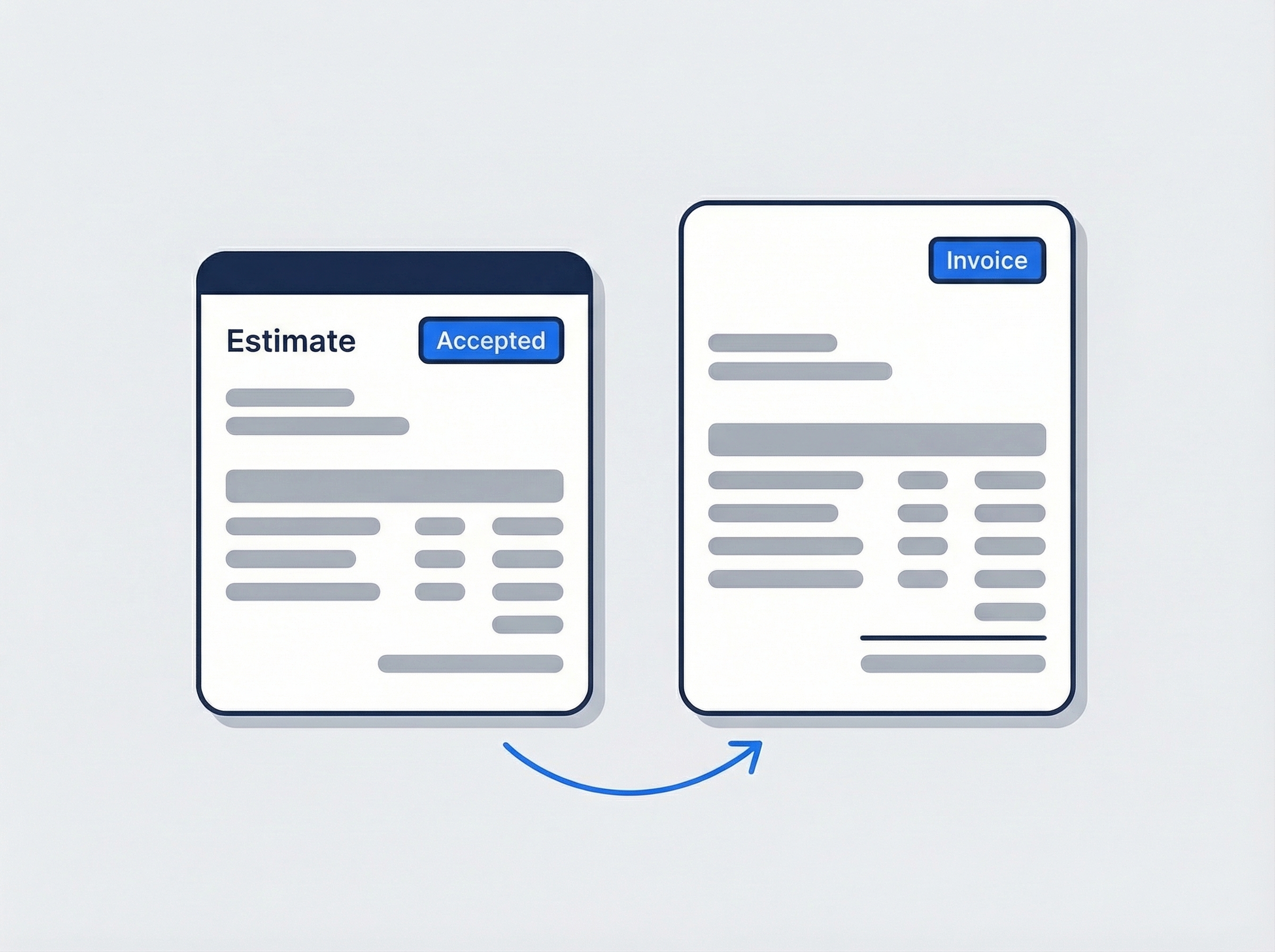
Revise the estimate without retyping it
Build the estimate from your items catalog — shingles per square, underlayment, drip edge, tear-off and haul-off — with tax and an expiry date. Tear-off finds rotted decking? Clone the estimate, add the sheathing line, and send the revision. When the homeowner accepts, one click turns it into the invoice.
- Line items, quantities, and tax from a catalog you set once
- Clone for a revision or for the next house on the street
- Convert the accepted estimate straight into the invoice
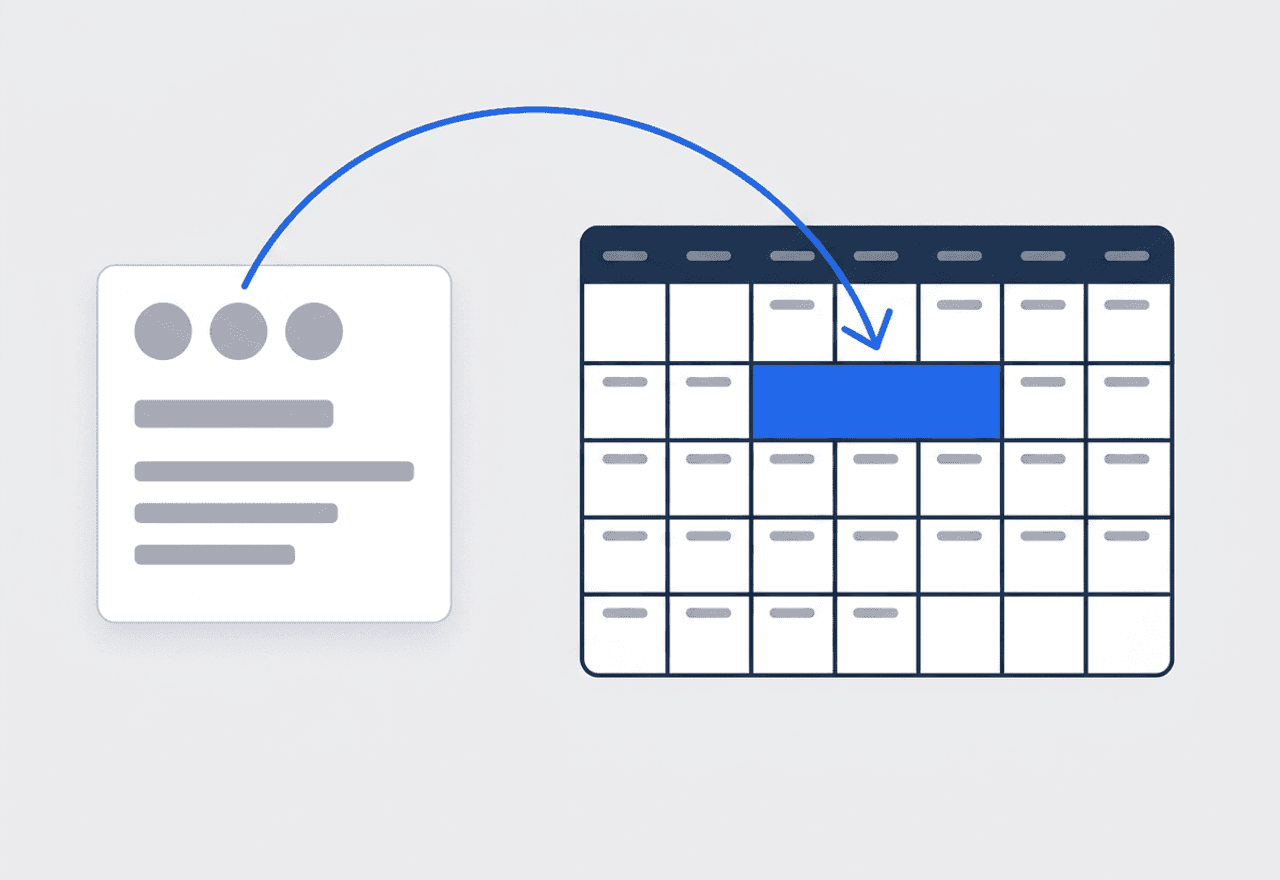
Three days on the roof, one job record
Use Range mode to book the tear-off and install across consecutive days as one job. Assign the crew once and every slot carries them. When a storm rolls in, set the job to Reschedule and pick the new dates — the photos, scope, and estimate stay attached.
- Range mode books consecutive days under one job number
- Crew colors on the calendar, a row per crew in Schedule view
- Rain day? Reschedule the slots, keep the whole history

The permit shows up on the job by address
Define each permit process once — the building department’s re-roof permit, an HOA approval for shingle color. Give it the area it covers, the issuer, the documents they want, and the fee. JobTrail matches the process to a job from its address and tracks it from Needed to Requested to Obtained.
- Processes by coverage area: a community, a building, an address
- Required-documents checklist: permit form, worker IDs, insurance
- Status on the job — Needed, Requested, Obtained

From the ladder to an accepted estimate
A roof sale starts with what the inspector can show. Photos go up from the phone against the job, tagged Before, with your own tags on top — hail hits, lifted tabs, a failed pipe boot. Open the report builder, drop the photos onto a page beside a short write-up, and export a branded PDF. Send the homeowner a share link with an expiry and watch the view count instead of wondering if they opened it. Then price the work in line items by the square, set an expiry date, and track it from Sent to Accepted.
- Photos tagged by stage and by damage type
- PDF report from the job’s own attachments
- Estimate tracked from Draft through Accepted

The install week runs on one screen
The crew lead opens Field Mode and sees the install and nothing else. The scope lists the day in order — tear-off, decking repair, ice-and-water shield, underlayment, drip edge, shingles, ridge vent, cleanup — and gets ticked line by line. Status moves from Scheduled to Ongoing to Completed on its own, so the office knows dry-in happened without a call. Photos land under During and After. Find soft decking or a hidden second layer? Raise a flag with a photo — safety, or needs a quote — and the office comments on it right there. When the last bundle is on, the homeowner signs the completion certificate on the phone.
- Scope ticked line by line, status advances itself
- Flags with photo or video for safety and extras
- Completion certificate signed on site, drawn or typed

Get paid in stages on one invoice
A re-roof rarely gets paid in one check. Convert the accepted estimate into the invoice, then record the deposit as a partial payment — cash, card, bank transfer, or check, with a reference number. Record the dry-in draw the same way, and the balance when the job closes. The invoice shows Partially Paid until it is done, and anything past due lands in your receivables with an aging breakdown across current, 30, 60, and 90+ days. If a homeowner overpays, the difference becomes a customer credit. When a property manager asks where they stand, print a statement with a running balance.
- Partial payments recorded against a single invoice
- Aging breakdown so you chase the right account first
- Statements with a running balance for repeat customers
“The inspection report used to be twenty photos in a text thread. Now it's a PDF with our logo, I send one link, and I can see the homeowner opened it twice before they called back — that's when I know the estimate lands.”

Carlos Mendoza
Owner, Mendoza Roofing
Ready to run your roofing business from one place?
Start your free trial and put a real install week on the calendar. No credit card, every feature switched on, nothing held back for a higher plan.
14-day free trial · No credit card required
Beyond roofing jobs — everything built in
AI Assistant
Powered by Google Gemini. Look up a job, create or update a customer, and ask about a photo — in plain English.
HR & Payroll
Employee records, leave that accrues itself, and a pay run in one grid.
Fleet Management
Assign vans to crews, log every service, and set service reminders.
Work Permits
Match permit requirements to the job address. Track the documents each issuer wants, through to approved.
What is roofing software?
The system a roofing contractor runs inspections, estimates, installs, and payments on. The categories differ in how much of a roof job they hold in one record.
| What a roofing contractor runs on | SheetsCalendar + spreadsheets | Sched. onlyScheduling-only tools | JobTrailJobTrail |
|---|---|---|---|
| Inspection photos into a reportTagged photos, branded PDF, expiring share link | No | Partly | Yes |
| Estimate revisions without retypingClone, add the decking line, convert to invoice | No | Yes | Yes |
| Install week as one jobConsecutive days, one crew, one photo history | No | Partly | Yes |
| Safety flags and incident logFlag from the roof, log the injury, close it | No | No | Yes |
| Payroll, leave and attendancePeople on leave flagged as you build a crew | No | No | Yes |
| Vehicle maintenance and work permitsService reminders, permit paperwork by address | No | No | Yes |
Yes CoveredPartly Varies by productNo Not covered
Why the bottom two rows change the real price
Most scheduling tools cover the calendar and the invoice and stop. Payroll for the crew, leave, truck and trailer maintenance, and permit paperwork each turn into another subscription and another login. Add those up and that is the real monthly number. JobTrail includes every one of them in every plan, so the price on the pricing page is the price for the whole business.
Roofing is not one kind of work either. A contractor might run a leak repair in the morning, a two-day tear-off across town, and a storm-damage inspection on the way home. In the same week a commercial low-slope job needs a permit and a three-person crew for four days. Software that holds only part of that week sends the rest back to paper and text messages.
The disputes you lose are the ones with no photos
A crew tears off a roof, finds rotted decking, and replaces eight sheets nobody photographed. The homeowner disputes the extra on the final invoice. A leak callback lands with a different crew who cannot see what was flashed the first time. A permit gets missed because the address sits in a community with its own approval process. Every one of those is a missing record before it is a roofing problem.
The paperwork on a roof also stretches across weeks. The inspection is one day, the estimate goes back and forth, the install waits on weather and a permit, and the money comes in three pieces. When those live in a camera roll, a spreadsheet, and a stack of carbon copies, something drops. Keep them on one job and the whole story is there when the homeowner, the adjuster, or the crew lead asks.
Roofing software questions, answered
The one that keeps a whole roof — inspection photos, the estimate and its revisions, the install days, permits, and staged payments — on one record without charging per module. A two-crew contractor and a fifteen-person operation both need that. But the smaller business feels every add-on more: a separate photo report app, a separate payroll tool, a separate vehicle log. Judge the shortlist on total cost with every piece switched on, and on whether your crew lead can run the install from a phone without training.
Yes. Photos taken on the inspection upload against the job with stage and custom tags. Open the report builder, place them on a page with a heading and a short write-up, brand it with your logo, and export the PDF. Create a share link with an expiry of 7, 30, 90, or 365 days, copy it, and watch the view count. Save the layout as a template so the next report takes seconds. JobTrail does not email the report for you — you send the link or the file yourself.
Clone the estimate. The copy carries every line item, the customer, the address, and the tax setup, so you add the sheathing line and send it. Each estimate carries its own expiry date and moves through Draft, Sent, Accepted, Declined, or Expired. When the homeowner says yes, convert it to an invoice in one click. There is no online customer approval or e-signature on estimates — signatures live on the job completion certificate, captured on site.
Yes. Jobs carry multiple time slots. Use Range mode to book consecutive days under one job number, assign the crew once, and every day shows on the calendar in that crew’s color. When weather pushes the install, set the job to Reschedule and pick new dates — the estimate, photos, and scope stay attached. If the crew has to come back for a ridge vent or a leak, raise a Revisit linked to the original job.
Yes. Define a work permit process for each issuer — the building department for a re-roof permit, a residents association for a shingle-color approval. Set the areas it covers, the required-documents checklist (permit form, worker IDs, insurance, vehicle registration), and any fee. Book a job at a covered address and JobTrail flags the matching process; apply it and the status runs from Needed to Requested to Obtained. It does not submit the permit to the city for you; the paperwork still goes in the way it always has.
Yes. Convert the estimate to an invoice, then record each payment against it — cash, card, bank transfer, or check, with the date and a reference number. The invoice sits at Partially Paid until the balance clears, and past-due invoices show in receivables with an aging breakdown. Overpayments become customer credits. JobTrail records payments; it does not process cards online, run financing, or send payment reminders on its own.
Two ways, depending on what happened. For a site condition — exposed wiring under the decking, a soft spot, a broken ladder rung — the crew raises a flag on the job from Field Mode with a photo or video. The office comments on it in the same thread. For an actual injury or damaged equipment, log an incident with type, severity, location, witnesses, and the immediate actions taken. Then track it from Open through In Progress to Resolved and Closed, with follow-up notes.
No. JobTrail does not do aerial measurement, material takeoffs, supplier ordering, or insurance-claim estimating. What it does is hold the numbers you already have. Record squares, pitch, decking type, and shingle color as Property Details on the address so they show in Field Mode. Price the estimate from an items catalog where a square of architectural shingle is one line with one price. Bring your measurements from wherever you take them today.
Plans start at $39 a month for a solo operator and scale with your team. Every plan includes every feature — scheduling, jobs, estimates, invoicing, HR and payroll, fleet, permits, and the AI assistant. There are no add-on modules and nothing is locked behind a higher tier, so the price you see is for the whole platform. The tiers run Solo at $39 a month for one user, Team at $139 for up to five, Growth at $199 for up to ten, and Scale at $299 for up to fifteen, each with a 14-day free trial.
Yes. JobTrail offers a 14-day free trial with full access to every feature and no credit card required. Set up your customers, put a week of real jobs on the calendar, and send a live invoice before you decide.
Put your next roof in JobTrail
Every feature, every plan. Build an inspection report from real photos, book a three-day install as one job, and record a deposit against the invoice — inside the trial.
14-day free trial · No credit card required