Appliance Repair Software
JobTrail keeps the whole repair on one record — the call, the first visit, the model plate photo, the estimate for the part, the revisit, and the payment. Nothing lives on a notepad in the truck.
14-day free trial · No credit card required





Join 14,000+ pros

Built In AI Assistant
Powered by Google Gemini
Completed
Dryer repair · 11:20 AM
Paid by card · Model plate on file
15+ hrs
Saved Per Week
2X
Faster Invoicing
47%
Revenue Growth
14,000+
Pros On JobTrail
Built for the way appliance repair runs — from the first phone call to the part going in on the second visit.
Based on JobTrail customer data, 2026.
Everything an appliance repair business needs
A repair company runs on service calls, part orders, and second visits. JobTrail keeps the calendar, the customer, the estimate, and the invoice in one place, and every plan includes every piece from day one.
Scheduling
Day, 3-day, week, month, and team views. See who has room for a same-day warm-fridge call before you promise a time.
Customers
Every address, phone number, and appliance detail — plus what each homeowner or landlord still owes you.
Estimates
Price the part and the labor, set an expiry, and turn the accepted estimate into an invoice in one click.
Invoicing
Record cash, card, or check at the kitchen counter, and see who is 30, 60, or 90 days behind.
Job reports
Put the model plate, the burnt board, and the finished repair in one branded PDF the customer keeps.
Crews & teams
Give each tech a color and a calendar row, and swap who is on a crew for a day without touching the default roster.
Time off
Techs request days off, balances accrue on their own, and the conflict shows before you book them on a call.
Job conversations
A thread on every job and customer — the part number, the delivery date, the callback — with @mentions and an inbox.
Incidents
Log a scratched floor, a customer complaint, or a strained back with photos, then work it from Open to Closed.
How an appliance repair job runs in JobTrail
Take the call
Log the request with the symptom and the appliance, flag it urgent, and hold a tentative block on the calendar. Convert it to a job when the customer confirms.
Diagnose and quote
The tech opens Field Mode, reads the model and serial from Property Details, and photographs the fault. The office prices the part on an estimate created from the job’s Scope.
Return and get paid
When the part arrives, raise a revisit linked to the first visit. Install it, take cash, card, or check on site, and record it against the invoice.
The parts of a repair day that eat the margin
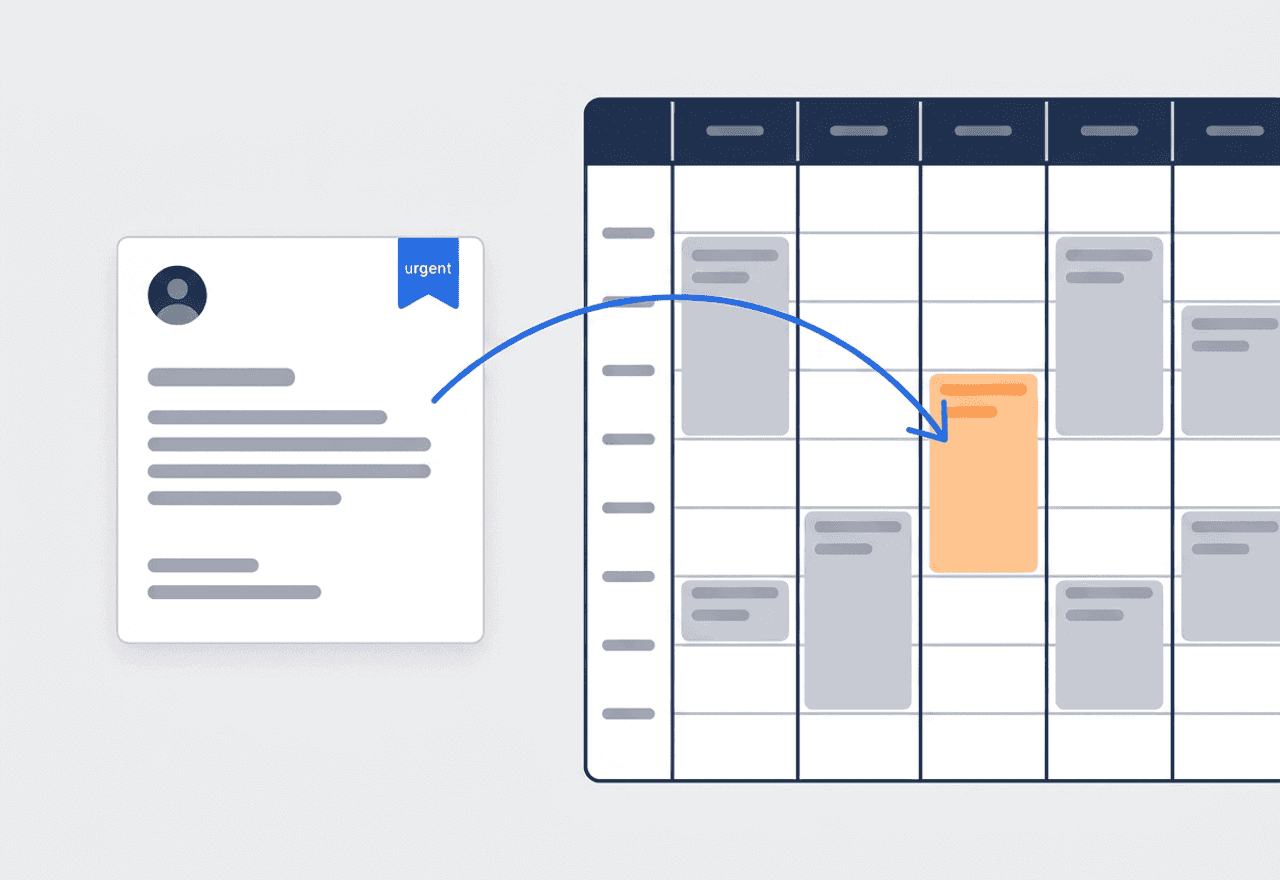
Every call becomes a request first
A homeowner calls about a fridge that stopped cooling. Log it as a request with the symptom, the brand, and the address. Flag it urgent, hold a tentative block on the calendar so nobody double-books the slot, and convert it to a job the moment they say yes.
- Statuses from New to Contacted, Quoted, and Converted
- Tentative calendar block in orange, so no double booking
- Convert to a job or create the estimate from the request
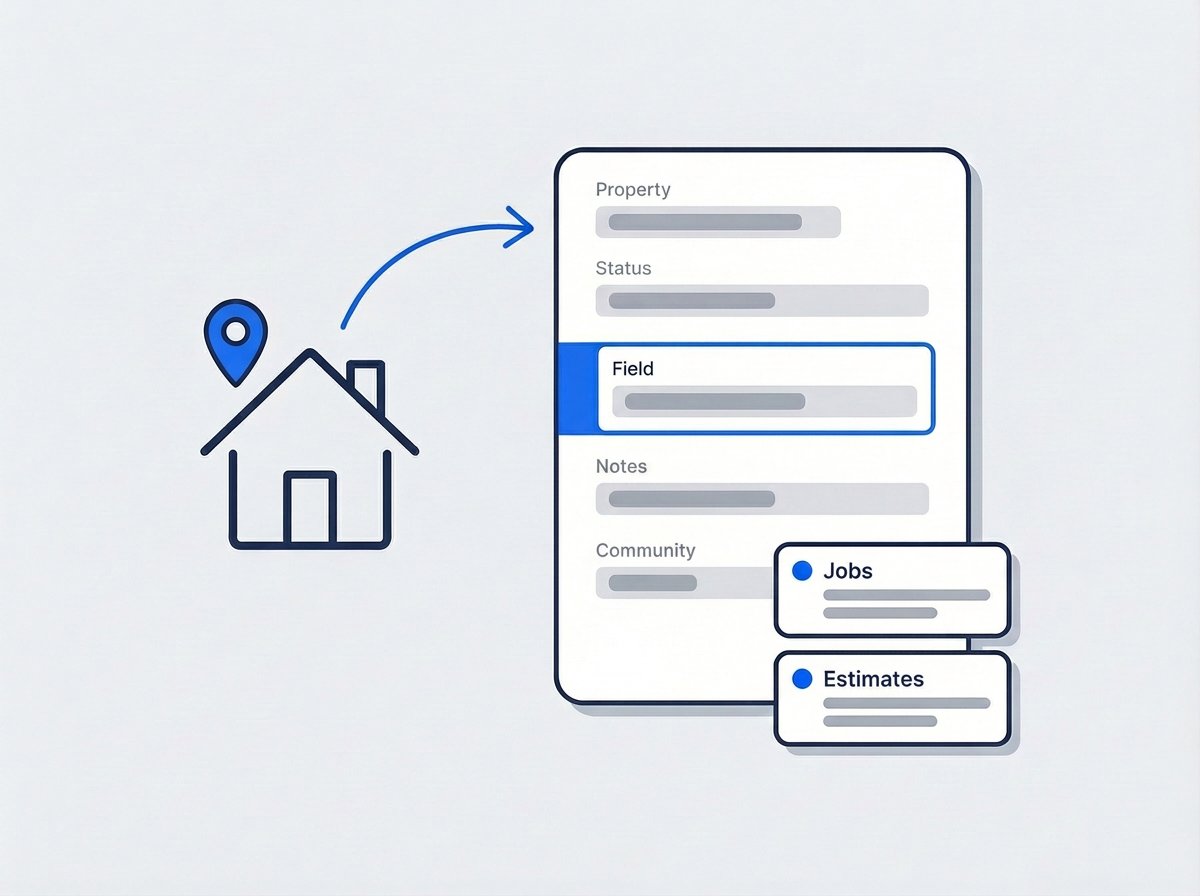
Brand, model, and serial on the address
Add Property Details to every address — refrigerator brand and model, serial number, gas or electric dryer, water shutoff location, gate code. Define the fields once in Settings. The tech reads them in Field Mode before ringing the bell, and the model number is ready before the parts call.
- Text, number, or dropdown fields on every address
- Visible in Field Mode before the tech knocks
- Job and estimate history one tap away on the customer
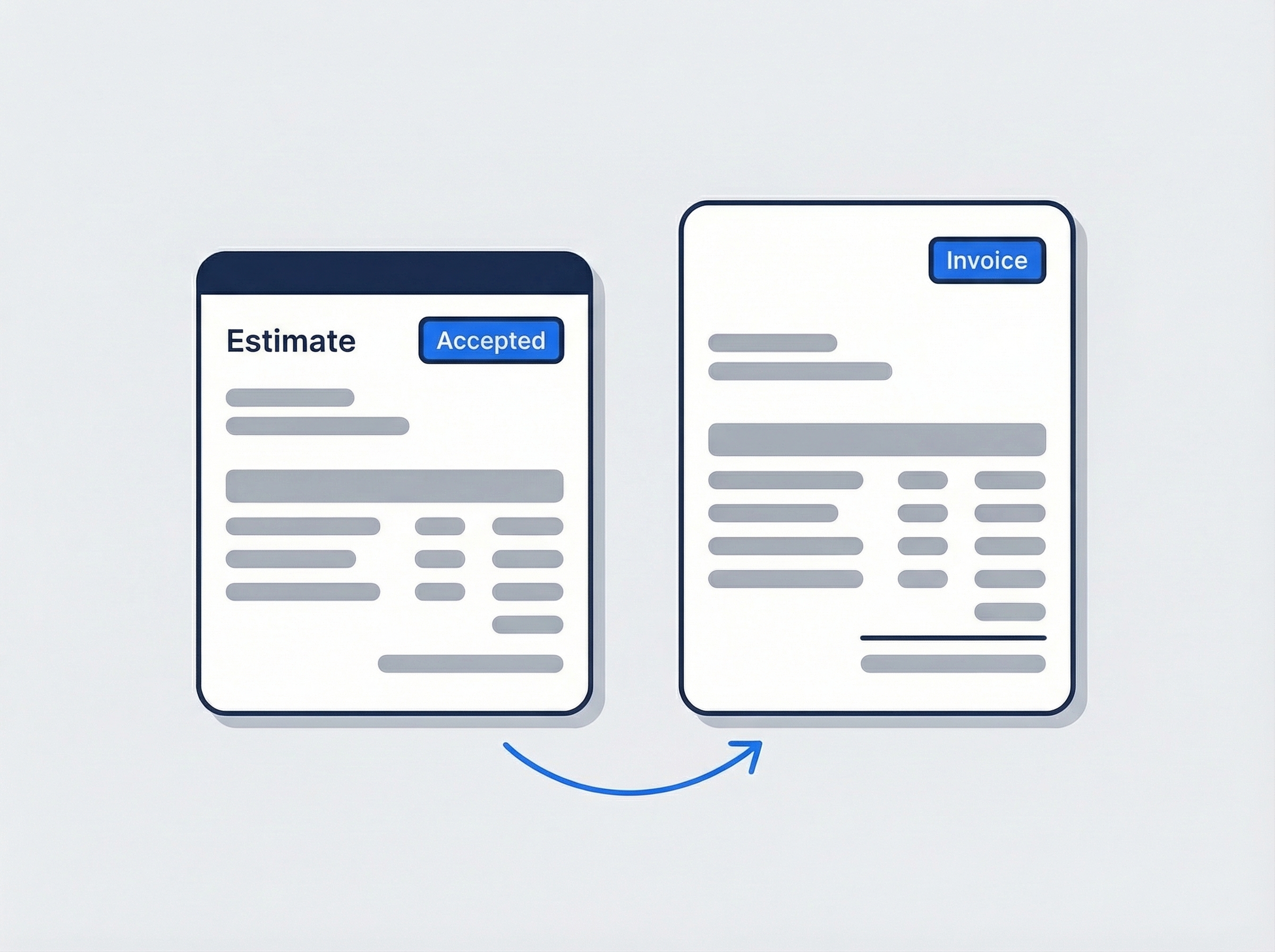
The estimate comes off the job itself
The tech finds a failed control board. Create the estimate straight from the job’s Scope, price the part and the labor, and set an expiry. When the customer accepts, convert it to an invoice with one click. When the part lands, raise a revisit that stays linked to the original job.
- Estimate created from the job, link written automatically
- Accepted estimate to invoice, nothing retyped
- Revisit for the part install linked to visit one
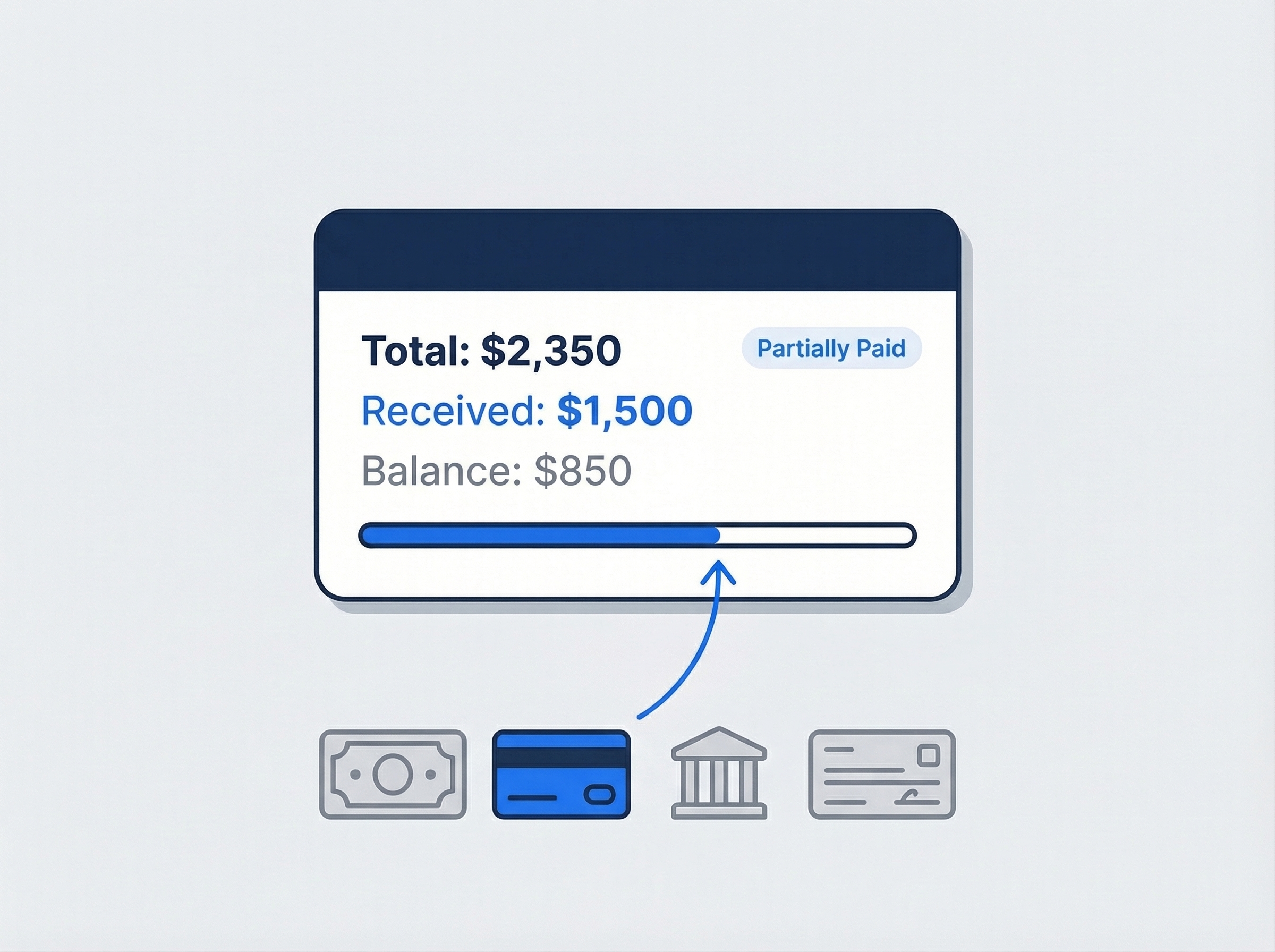
Record the payment before you leave
The dishwasher runs again and the customer pays at the kitchen counter. Record cash, card, bank transfer, or check against the invoice, and partial payments show a running balance. If a customer overpays, the difference becomes a credit for the next call. JobTrail records the payment — it does not process the card.
- Cash, card, bank transfer, or check on the invoice
- Partially Paid status with the balance still due
- Overpayments turn into customer credits automatically

From the call to the revisit, one record
Appliance work rarely ends on the first visit. The tech diagnoses a bad drain pump, the part is not on the truck, and the customer waits three days for the second trip. In JobTrail that whole chain sits on one job. The request holds the original call and the tentative slot. The first visit carries the photos and the scope. The estimate for the part is created from the job, and the invoice from the estimate. When the part arrives, the revisit links back to the first visit, so whoever runs it sees what was found and what was quoted. The dash stays clear of sticky notes.
- Request, job, estimate, invoice, and payment linked
- Revisit for the part install tied to visit one
- The whole chain readable from any record in it
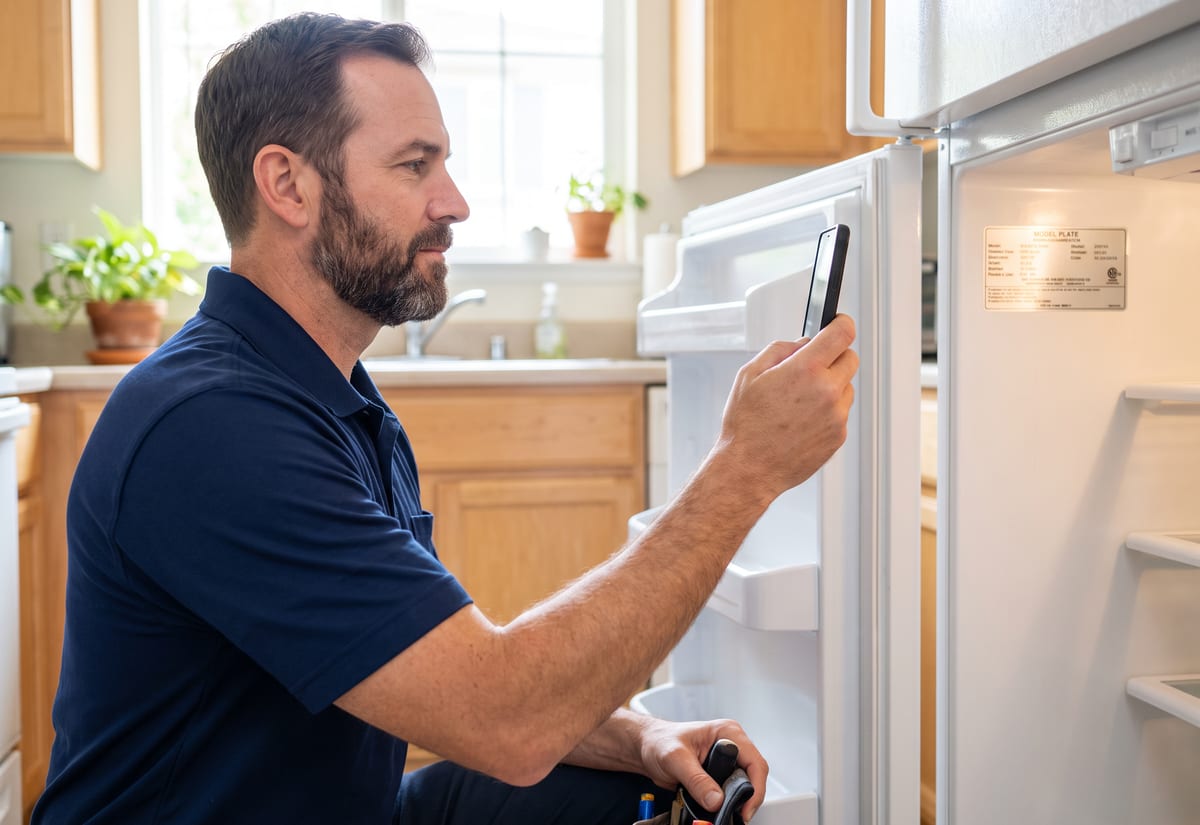
Model plates and property details that stay put
The model plate is the most important thing a tech reads all day, and it hides behind the kick plate or inside the door frame. Photograph it once and tag the photo Before. Then type the brand, model, and serial into Property Details on that address, so the next tech reads it from the driveway. Water shutoff location, gas or electric dryer, gate code, which unit the landlord means — all custom fields you define once in Settings. Field Mode shows them on the phone before the tech knocks. When a customer with four rental units calls back, the right fridge is one tap away.
- Brand, model, and serial as fields on the address
- Photos tagged by stage stay attached to the job
- Custom fields defined once, shown in Field Mode

Field Mode and payment on the spot
A repair tech works alone most of the day. Field Mode gives them one screen: today’s jobs, the scope for each, the property details, and the photo upload. They tick off the scope lines — pull the unit, replace the element, run a test cycle. The job moves from Scheduled to Ongoing to Completed without a call to the office. Photos go against Before, During, and After. Then the customer signs the completion certificate on the phone — a drawn or typed signature. The cash, card, or check they hand over is recorded against the invoice, not on the back of a receipt. The office watches the day close out without a stack of paper on Friday.
- Scope ticked line by line, status moves itself
- Completion certificate signed on site, drawn or typed
- Cash, card, or check recorded against the invoice
“The second visit used to be where things fell apart — a part shows up and nobody remembers which house it’s for. Now the revisit’s linked to the first job, with the model plate photo right there. My guys just open it and go.”

Sam Nguyen
Owner, Nguyen Appliance Repair
Ready to run your appliance repair business from one place?
Start the free trial and load a real week of service calls. Every feature is switched on from the first day, and there is no card to enter.
14-day free trial · No credit card required
Beyond appliance repair scheduling — everything built in
AI Assistant
Powered by Google Gemini. Look up a job, create or update a customer, and ask about a photo — in plain English.
HR & Payroll
Employee records, leave that accrues itself, and a pay run in one grid.
Fleet Management
Assign vans to crews, log every service, and set service reminders.
Work Permits
Match permit requirements to the job address. Track the documents each issuer wants, through to approved.
What is appliance repair software?
The system a repair company uses to run service calls from the first ring to the paid invoice. The real difference between tools is how much of the diagnose, quote, and revisit chain they hold together.
| What an appliance repair company runs on | SheetsCalendar + spreadsheets | Sched. onlyScheduling-only tools | JobTrailJobTrail |
|---|---|---|---|
| Request to job to revisitOne chain, every visit linked back | No | Partly | Yes |
| Model and serial on the addressRead from the driveway before the parts call | No | Partly | Yes |
| Estimate from the job scopePriced on site, one click to invoice | No | Partly | Yes |
| Payment recorded on siteCash, card, or check against the invoice | No | Yes | Yes |
| Payroll, leave and attendancePeople on leave flagged as you build a crew | No | No | Yes |
| Vehicle maintenance and work permitsService reminders, permit paperwork by address | No | No | Yes |
Yes CoveredPartly Varies by productNo Not covered
Why the last two rows are the real price tag
Most tools in this category cover the calendar and the invoice and stop. Payroll for your techs, their time off, the van log, and any permit paperwork each become another app with its own bill and login. Add those up before you compare monthly prices, because that total is the number that matters. JobTrail puts all of it in every plan instead of selling each piece as a module.
Appliance repair is not one kind of week. A two-truck company might run eight service calls a day and hold three revisits for parts on order. Then it has to squeeze in a warm fridge for a landlord with a tenant on the phone. Software that holds only part of that week sends the rest back to a clipboard.
The callback that starts from zero
A tech swaps a thermistor and never writes down the model number, so the callback three weeks later begins with a fresh diagnosis. A part comes in and nobody can tell which of the four rentals it belongs to. A customer disputes the diagnostic fee and there is no photo of the failed board. None of those is a repair problem. Each one is a missing record, and each one costs a trip.
The second visit is where a repair company loses money. The tech who diagnosed the fault is not the one who returns. The estimate is in a text thread, and the part number is on a receipt in the truck. Keep the request, the first visit, the estimate, and the revisit on one job, with the model plate photo attached. The return trip starts where the first one ended.
Appliance repair software questions, answered
The one that holds the whole repair together without charging per module. A one-truck operation and a ten-tech company both need the same chain: the request, the visit, the estimate for the part, the revisit, and the invoice. Smaller companies feel the gaps most, because a separate payroll app, a vehicle log, and a messaging tool each carry their own bill. Compare total price with everything you need turned on, and ask whether a tech can run the day from a phone without a training session.
Yes. Raise a revisit from the original job and it stays linked to the first visit. The diagnosis photos, the scope, and the estimate for the part are one click away for whoever takes the second trip. A job can also carry several time slots, so a repair that needs a diagnosis visit and an install visit keeps one history. There is no route optimization or travel time estimate — you pick the slot yourself.
In Property Details on the address. Set up the fields in Settings — brand, model, serial number, dryer fuel type, water shutoff location, access notes — as text, number, or dropdown. Every address you service then carries them. Field Mode shows the same fields, so the tech has the model number on the phone before the parts call. Photograph the model plate as well and tag it Before, and it stays attached to the job.
Yes. Create the estimate directly from the job’s Scope section, and the link between the estimate and the job is written at the same time. Add the part and the labor as line items, apply tax, and set an expiry date. Once the customer accepts, convert it to an invoice with one click, and nothing is retyped. Customers do not approve estimates online — you mark it Accepted yourself when they say yes.
Yes, and this is the part most repair techs care about. Record cash, card, bank transfer, or check against the invoice with the date, amount, and a reference number. Partial payments leave the invoice at Partially Paid with the balance still due. Overpayments become customer credits automatically. JobTrail records the payment — it does not process the card, so you keep using your existing card reader.
No. JobTrail has an items catalog for the parts and services you sell, with a price and a unit on each, so estimates and invoices pull the right line without retyping. It does not track stock on the truck, reorder points, or supplier orders, and it does not file warranty claims with manufacturers. Use the job conversation to note the part number and the delivery date, so the whole crew sees when the revisit can be booked.
Yes. Field Mode is the tech’s screen for the day: assigned jobs, the scope for each, the property details for that address, and the photo upload. Ticking off scope lines is what moves the job — Scheduled, Ongoing, then Completed — with no status call to the office. When the repair is done, the customer signs the completion certificate on the phone, drawn or typed, before the tech pulls out of the driveway. It runs in the browser, so there is nothing to install.
Yes. A customer record can hold several addresses, each with its own Property Details, so unit 3B and unit 4A each carry the right appliances. Every job, estimate, invoice, and payment links back to that customer, and you can generate a statement with a running balance for the month. Receivables show an aging breakdown across current, 30, 60, and 90+ days, so you know which property manager to call first.
Plans start at $39 a month for a solo operator and scale with your team. Every plan includes every feature — scheduling, jobs, estimates, invoicing, HR and payroll, fleet, permits, and the AI assistant. There are no add-on modules and nothing is locked behind a higher tier, so the price you see is for the whole platform. The tiers run Solo at $39 a month for one user, Team at $139 for up to five, Growth at $199 for up to ten, and Scale at $299 for up to fifteen, each with a 14-day free trial.
Yes. JobTrail offers a 14-day free trial with full access to every feature and no credit card required. Set up your customers, put a week of real jobs on the calendar, and send a live invoice before you decide.
Put your next appliance repair job in JobTrail
Every feature, every plan. Log a service call as a request, put the model number on the address, and raise a revisit for the part — all inside the trial.
14-day free trial · No credit card required